
Alerts
-
3 minutes, 18 seconds
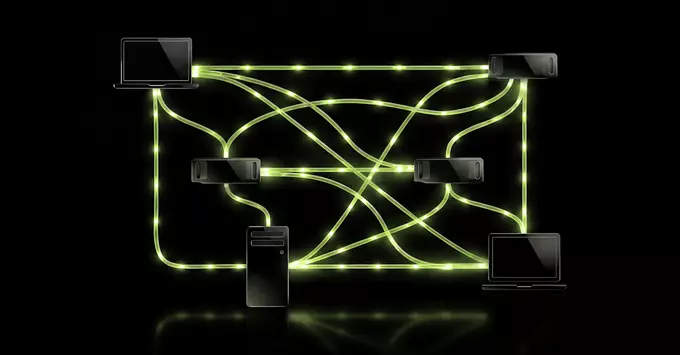
Nvidia PAIR is a free software tool that transforms a collection of idle personal computers into a unified, personal AI data center. Instead of letting your existing GPUs sit unused, PAIR links them together over a standard network, pooling their processing power for demanding AI workloads. This approach turns scattered hardware—like gaming PCs or workstations—into a single, cohesive cluster capable of running large language models, fine-tuning, and other compute-intensive tasks.
Designed for individuals and small teams, PAIR removes the barrier of expensive, dedicated server infrastructure. By leveraging the hardware you already own, you can create a private, on-premises AI supercomputer. The tool emphasizes data privacy, as your sensitive information never leaves your local network, and it offers a cost-effective alternative to cloud rental. In essence, PAIR democratizes high-performance AI, making enterprise-level capability accessible from the comfort of your own home or office.
PAIR is engineered to create a seamless local AI computing mesh between your desktop and laptop. The system activates when your devices are idle, intelligently routing AI tasks to whichever machine is not in active use. Instead of relying on cloud servers, PAIR leverages the combined processing power of your personal hardware to run local AI models.
When you step away from your laptop, for example, PAIR can automatically assign a resource-heavy task—like fine-tuning a model or processing a batch of images—to that machine’s GPU. Meanwhile, your desktop remains dedicated to your foreground work. The software monitors system load and availability, ensuring that no single device is overwhelmed.
This collaborative approach means you get faster results for background AI jobs without purchasing a dedicated server. PAIR effectively turns your underutilized hardware into a private, on-demand AI cluster, keeping your data local and your workflow uninterrupted.
Perhaps the most compelling feature of Nvidia PAIR is that it is completely free to use. This removes the financial barrier typically associated with high-performance computing, making advanced AI development accessible to a broader community of researchers, students, and independent developers.
Beyond its cost, PAIR’s core innovation lies in its ability to tap into idle computing resources. Instead of requiring dedicated, expensive hardware, the platform intelligently aggregates unused GPU capacity from a distributed network. This approach offers two significant advantages:
This democratization of compute power allows for faster experimentation and iteration, enabling you to focus on solving complex problems rather than managing server costs or availability.
To begin, navigate to the official Nvidia PAIR portal and sign in with your Nvidia account credentials. Once authenticated, you will be prompted to select a deployment environment—either a local workstation or a cloud instance—that meets your hardware requirements for hosting an AI data center.
After configuration, PAIR automatically indexes your data and exposes a unified API endpoint. You can then interact with your personal AI data center via the dashboard or through REST calls, enabling you to run training jobs, manage model versions, and monitor resource usage in real time. For detailed examples, refer to the official documentation which includes sample scripts for common tasks such as ingesting streaming data or scheduling batch inference. No additional plugins are required for standard usage, and the system scales transparently as you add more storage or compute nodes.









Comment