
Trending
Trending Hashtags
Alerts
-
3 minutes, 26 seconds
Apple's new iPhone setting gives users a direct way to disable motion-sensing ads that depend on device movement data. In practice, the toggle stops apps from accessing the motion data they use to infer what you are doing and to serve advertising based on those inferences.
Motion data on an iPhone comes from sensors such as the accelerometer and gyroscope. Advertisers and app developers have used this stream of information to detect movement patterns — whether a phone is still, being carried, or in a vehicle — and to match ads to those signals.
The new setting severs that pipeline. When it is switched off, apps can no longer pull the motion readings that feed motion-sensing ad logic, so campaigns built around device movement lose their input on that device.
It is a targeted control rather than a blanket ad blocker. The setting does not remove ads from apps; it removes one specific data source — physical movement — from the pool advertisers can draw on. For users, that means ad personalisation tied to how they move their phone simply stops.
Motion-sensing ads use the iPhone's sensors to detect movement and deliver targeted advertising. Your device is packed with hardware that can infer a surprising amount about what you are doing, and advertisers are eager to use it.
According to the source, the relevant signals include:
These sensors reveal whether you are walking, driving, or standing still, and how you hold and move your phone. Advertisers combine that motion profile with other data to build a picture of your behaviour, then serve ads matched to it. The concern is that this happens quietly in the background, with no obvious prompt or indicator on screen.
Because motion data feels innocuous, many users never suspect it is being harvested. Yet the pattern of your movement can be surprisingly identifying, which is why the new iPhone setting exists to limit this kind of tracking.
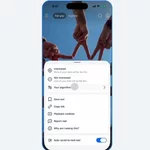
Disabling motion-based ad tracking takes only a moment, and the control now lives in the same place as Apple's other privacy switches. Once enabled, the setting prevents apps from accessing your device's motion data for advertising purposes.
When this option is disabled, apps can no longer pull raw motion readings to build an advertising profile. The change applies system-wide, so you do not need to adjust each app individually.
It is worth noting that some apps may still request motion access for core features, such as a fitness tracker counting your steps. Those permissions are separate from the advertising use, and you can review them at any time in the same menu.
After switching the setting off, consider restarting your iPhone so the change takes effect cleanly across all installed apps.
Motion data sits in a gray zone that many users never think about. It isn't a name, an email address, or a location ping, so it rarely appears in the privacy debates people follow. Yet the way your phone moves can quietly feed advertising systems that build a picture of your behavior.
That is why this setting matters. By limiting how your device movement is used for ads, iPhone users gain more control over a stream of data they may not have known was being collected at all. The change does not stop every form of tracking, and it does not make anyone invisible to advertisers. But it does reduce one input that can be used to infer what you are doing, where you might be, and how you spend your time.
Privacy is rarely about a single switch. It is built from many small decisions about which signals a device is allowed to share. This setting is one of those decisions, and it hands that choice back to the person holding the phone.









Comment