
Alerts
-
2 minutes, 33 seconds
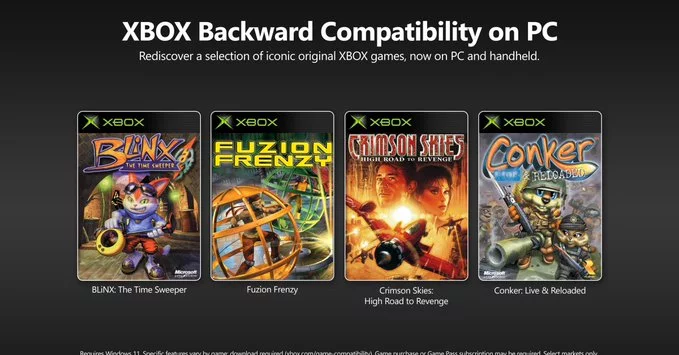
Microsoft is bringing original Xbox games to PC, opening up a treasure trove of classic titles for gamers. This move expands the Xbox ecosystem, letting you play beloved games from the early 2000s on your computer. Whether you missed out on the original Xbox or want to relive nostalgic moments, this update is a game-changer.
For years, many classic Xbox games were stuck on the original console. Now, Microsoft is breaking those barriers. By adding backward compatibility to PC, you get access to a wider library without needing an old console. This is part of Microsoft's push to make gaming more accessible across devices.
Microsoft hasn't revealed the full list yet, but expect popular titles like Halo: Combat Evolved, Fable, and Star Wars: Knights of the Old Republic. These games will be available through the Xbox app on Windows 10 and 11, and possibly Steam.
To play these games, you need a Windows PC with the Xbox app installed. Microsoft will likely use emulation technology to run the games smoothly. Here's a quick guide:
Some games may require a subscription to Xbox Game Pass, while others can be purchased individually.
Playing original Xbox games on PC offers several advantages:
This move strengthens Xbox Game Pass, Microsoft's subscription service. Adding original Xbox games to the library makes Game Pass even more valuable. If you're a subscriber, you'll get instant access to these classics at no extra cost. For non-subscribers, it's a great reason to try the service.
If you're new to playing classic games on PC, here are some tips:
Microsoft bringing original Xbox games to PC is a win for everyone. It preserves gaming history, expands your library, and makes classic titles easy to play. Whether you're a longtime fan or a new player, there's never been a better time to dive into these iconic games. Stay tuned for the official release list and start planning your nostalgic gaming sessions.










Comment