Alerts

-
2 minutes, 27 seconds
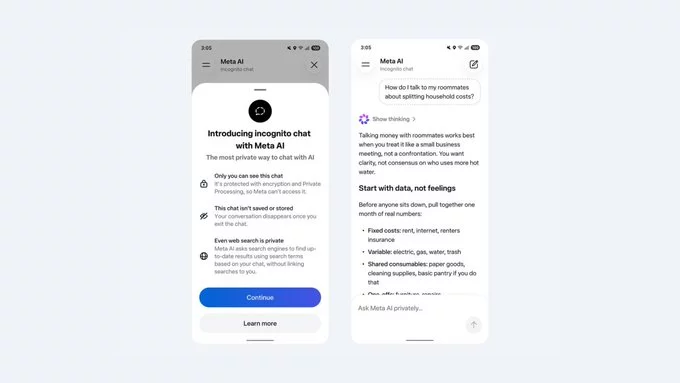
Meta AI's new incognito chat mode has arrived, but with a surprising twist: even Meta employees can't access it. CEO Mark Zuckerberg claims these private conversations aren't stored on Meta's servers and are deleted after each session. This move is part of Meta's broader push to improve user privacy and compete with other AI chatbots. But what does this mean for you? Let's break it down.
Incognito chat mode is a privacy-focused feature within Meta AI that ensures your conversations are not saved. Think of it like a private browsing mode for AI chats. Once you end a session, the messages vanish from Meta's servers. This is a big step for users who want to ask sensitive questions without leaving a digital trail.
This might sound odd at first. After all, shouldn't a company trust its own workers? But the lockout is intentional. By blocking employee access, Meta ensures that even internal staff cannot peek at your private conversations. This builds trust and reduces the risk of data misuse. It's a strong statement that Meta takes privacy seriously.
Other AI chatbots like ChatGPT and Google Bard also offer privacy options, but Meta's approach is unique. For example:
This makes Meta's incognito chat mode one of the most privacy-forward options available today.
To get the most out of this feature, follow these simple tips:
Meta's new incognito chat mode is a welcome addition for privacy-conscious users. It shows that the company is listening to concerns about data security. However, it's important to remember that no system is 100% perfect. Always think twice before sharing highly sensitive information online.
Meta AI's incognito chat mode is a step in the right direction for user privacy. By locking out employees and deleting messages after each session, Meta is setting a new standard for AI chatbots. Whether you're a casual user or a privacy advocate, this feature offers peace of mind. Try it out and see how it works for you.










)
)
Comment