Alerts

-
3 minutes, 11 seconds
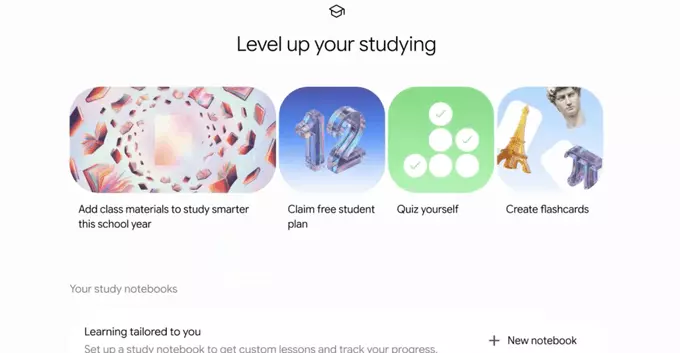
Google has announced a significant update to Google Lens, introducing new features designed to assist students with their studies. The first major addition is the ability to check work, allowing users to verify their answers to math and science problems directly through the app. This functionality aims to provide immediate feedback, helping learners identify errors and understand where they might have gone wrong.
The second feature focuses on getting help with complicated topics. Beyond simple answers, Google Lens can now offer guidance and explanations for challenging concepts. This is intended to move beyond rote memorization, providing a deeper understanding of the subject matter. As highlighted in the announcement, these tools are part of Google’s broader effort to make learning more accessible and interactive. For more details on this update, you can refer to the official Google blog post. These capabilities represent a practical step forward in using everyday technology for educational support.
Once you’ve completed a homework problem, Google Lens can act as a quick verification tool. Instead of just providing the final answer, the feature is designed to check the work you’ve already written down. To use it, simply point your phone’s camera at the math problem or your written solution.
Google Lens will analyze the scanned content and compare it against its understanding of the problem. If your approach or final answer is incorrect, the tool can highlight the discrepancy, helping you identify exactly where you went wrong. This goes beyond a simple right-or-wrong result; it offers a way to review your steps and understand the error. For text-based answers, it can similarly scan your written response to confirm you’ve covered the key points or used correct phrasing. This makes it a practical study aid for checking both mathematical calculations and written assignments before submission.
Beyond simple answer checking, Google Lens acts as a powerful study companion for complex subjects. When you encounter a difficult concept or a challenging problem, you can use the feature to gain a deeper understanding rather than just finding the final answer. The tool is designed to recognize the specific context of your query and offer relevant resources that break down the material.
This support goes beyond basic text recognition. For example, if you are stuck on a complex equation or a dense paragraph, Lens can provide access to explanatory materials. It can surface step-by-step guides, related articles, and visual aids that help clarify the underlying principles. This approach is particularly useful for visual learners who benefit from seeing problems solved in different ways. By offering these targeted resources, Google Lens helps you build a stronger foundation in the subject matter, turning a moment of frustration into an opportunity for genuine learning.
The rollout of Google Lens’s homework help and answer-checking capabilities is being executed in a phased manner, ensuring stability and user feedback integration. Initially, these features are available to a select group of users on both Android and iOS platforms via the Google app. This staged approach allows Google to monitor performance and refine the underlying AI models before a broader release.
For users eager to access the new functionality, the primary requirement is having the latest version of the Google app installed. The features will appear automatically within the Lens interface, eliminating the need for a separate download or manual activation. As the rollout progresses, availability will expand to all users globally, though the timeline may vary by region and device compatibility. Google has not specified an exact date for full availability, but the current expansion suggests a wide release in the coming weeks.










Comment