
-
3 minutes, 29 seconds
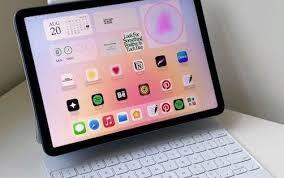
Multitasking on iPad Just Got Real with iPadOS 26
Apple’s iPad has long been hailed as a powerful device held back by software limitations. Now, that changes with iPadOS 26, which finally introduces real multitasking — a feature users have craved for over a decade. With support for resizable, overlapping windows and app menus that mimic macOS, you can now genuinely multitask on an iPad. Whether you’re switching between Slack, Safari, Google Docs, or Spotify, the experience feels seamless and professional. If you’ve been wondering whether you can fully replace your laptop with an iPad, iPadOS 26 finally delivers a confident yes — or at least the closest we’ve ever gotten.
iPad Multitasking Moves Beyond Split View and Stage Manager
Previous iPad multitasking options like Split View or Stage Manager always felt like half-measures. But iPadOS 26 multitasking introduces a full desktop-class environment. Each app launches in its own window — complete with familiar macOS-style controls for resizing, minimizing, and maximizing. The addition of a new app-specific menu bar enhances usability and boosts productivity, especially when using a Magic Keyboard. Whether you're drafting emails, editing documents, or running media in the background, this update unlocks a whole new workflow style that closely mirrors what you get on a MacBook or Surface Pro.
A Real Desktop Experience, Now on iPad
You’ll immediately notice that apps behave like they do on macOS. You can stack them, move them freely around the screen, and access full menus like File, Edit, and View. Need to print a document or create a new Apple Music playlist? That’s just a click away. There's even a real mouse pointer — not a fuzzy circle — making cursor control intuitive and fast. This new multitasking environment transforms how we view iPads: no longer just consumption devices, but powerful tools for work, creativity, and communication.
The New Files App and Keyboard Support Seal the Deal
Multitasking on iPad is only part of the story. iPadOS 26 also revamps the Files app, allowing quicker access to iCloud, local files, and shared documents. You can pin folders to the dock, drag and drop across apps, and manage files more efficiently than ever. While it still lacks some desktop file features — like external drive integration and desktop file saving — the improvements are substantial. Combined with the Magic Keyboard and trackpad support, the iPad now feels like a viable daily driver for many professionals, students, and creatives alike.

2.5K articles

1.4K articles

34 articles

28 articles














Comment