Profile
Apple’s upcoming iOS 27 update will let users generate custom wallpapers and build shortcuts using arti...
Related Blogs
Recent
-
1
-
2
-
3
-
4
-
5
Blogs
iOS 27 Lets You Create Wallpapers and Build Shortcuts With AI: Here’s How
Tue at 7:46 AM -
2 minutes, 5 seconds
iOS 27 Introduces AI-Powered Wallpaper and Shortcut Creation
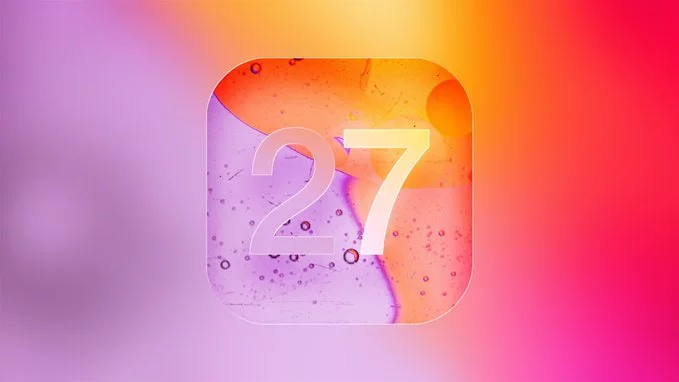
Apple’s upcoming iOS 27 update will let users generate custom wallpapers and build shortcuts using artificial intelligence. This new feature makes it easier than ever to personalize your iPhone and automate daily tasks without any coding experience. In this guide, we explain how iOS 27 uses AI to transform your device experience.
How to Generate Custom Wallpapers With AI in iOS 27
With iOS 27, you can create unique wallpapers simply by describing what you want. The AI understands your text prompts and generates high-quality images instantly.
Steps to Create an AI Wallpaper
- Open the Settings app on your iPhone.
- Tap Wallpaper and select Create New.
- Type a description (e.g., “a neon city at night” or “calm ocean waves”).
- Choose a style (realistic, cartoon, abstract, or gradient).
- Tap Generate and preview your wallpaper.
- Set it as your lock screen, home screen, or both.
You can also adjust colors, brightness, and add filters before saving. This feature works offline, so your data stays private.
Building Smart Shortcuts With AI in iOS 27
The Shortcuts app in iOS 27 now includes an AI assistant that helps you build automations. Instead of manually dragging actions, you can tell the AI what you want, and it creates the shortcut for you.
Examples of AI-Powered Shortcuts
- Morning routine: “Turn on lights, read weather, and play news when I wake up.”
- Driving mode: “Mute calls, open maps, and start a playlist when I connect to car Bluetooth.”
- Work focus: “Block social media, open calendar, and set a 25-minute timer.”
The AI suggests actions based on your usage patterns. You can review and edit the shortcut before saving it.
Why These Features Matter for iPhone Users
AI-powered wallpaper generation saves you time searching for images. You get exactly what you imagine. AI shortcuts remove the learning curve of automation, making productivity accessible to everyone. Both features work seamlessly with iOS 27’s improved performance and privacy controls.
Tips for Getting the Most Out of iOS 27 AI Features
- Use specific descriptions for better wallpaper results (e.g., “sunset over mountains with purple sky”).
- Experiment with different art styles to match your mood.
- Start with simple shortcut requests and gradually add complexity.
- Share your custom wallpapers and shortcuts with friends via iMessage.
iOS 27 is expected to release in fall 2025. Developers can test the beta now. These AI tools mark a major step toward a more personalized and efficient iPhone experience.
Contact Information
More from Matilda Wambua
-
Google's Future: One Search Box to Do Everything for You
Wed at 8:44 AM 69
-
Google AI Future Relies on Trust and Your Personal Data
Wed at 8:43 AM 63
-
Ugreen FineTrack 2 Soccer Ball Tracker: 7-Year Battery Life
Wed at 8:42 AM 59
-
Kickstarter Reverses Controversial Mature Content Rules After Backlash
Wed at 8:42 AM 64
-
Gemini AI Uses Volvo Cameras to Interpret Parking Signs
Wed at 8:41 AM 64
Suggested Writers
-
2.3K articles
-
1.3K articles
-
34 articles
-
28 articles


Array