Switching from iPhone to Android just became significantly easier. With the release of iOS 26.3, Apple has introduced a new Transfer to Android feature that allows users to move apps, photos, messages, and even phone numbers simply by placing both devices side-by-side. If you’ve been wondering how to transfer data from iPhone to Android without complicated apps or manual setup, this update directly addresses that pain point.
Here’s what the new feature does, how it works, and why it matters.
iOS 26.3 Introduces “Transfer to Android” Feature
Apple’s latest software update quietly delivers one of the most user-friendly migration tools the company has ever offered. The new Transfer to Android option simplifies what has traditionally been a frustrating process for users leaving the iPhone ecosystem.
Previously, switching platforms often required downloading third-party tools on both devices or manually backing up and restoring data. That meant juggling accounts, waiting through lengthy uploads, and double-checking that nothing was left behind.
With iOS 26.3, users can now place their iPhone next to an Android device and begin a direct transfer process. The setup is designed to feel similar to Apple’s own device-to-device transfer when upgrading between iPhones.
How the iOS 26.3 Transfer to Android Works
The process is refreshingly straightforward.
After updating to iOS 26.3, users initiating setup on a new Android phone will see an option to transfer data from an iPhone. Once both devices are placed side-by-side, the system establishes a direct connection to begin migration.
Data that can be transferred includes:
-
Apps
-
Photos and videos
-
Messages
-
Contacts
-
Phone number information
This side-by-side method eliminates the need for separate data migration apps in many cases. It reduces technical friction and lowers the barrier for users who may have hesitated to switch platforms due to data concerns.
For everyday users, that simplicity is the biggest win.
Why Apple Made Switching to Android Easier
At first glance, helping users leave might seem counterintuitive for Apple. However, broader regulatory pressures and shifting consumer expectations are reshaping the mobile ecosystem.
Greater interoperability between platforms has become a major focus in global markets. Consumers increasingly expect flexibility and control over their data, regardless of which brand they choose.
By introducing a smoother transfer experience, Apple appears to be responding to growing demands for digital portability. Instead of locking users in through technical complexity, the company is now offering a more transparent transition path.
That move could actually build long-term trust.
iOS 26.3 Also Expands Wearable Notification Support
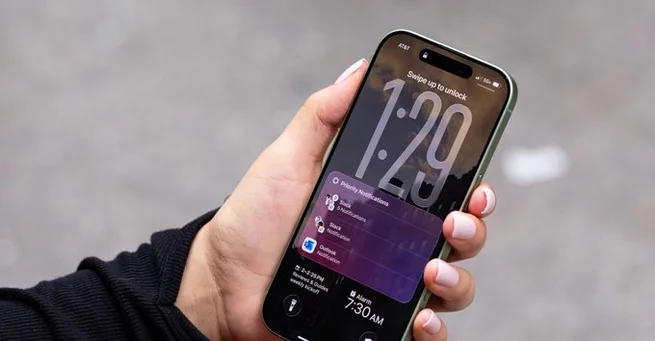
Beyond the new transfer tool, iOS 26.3 introduces improvements for users who rely on third-party wearables.
The update includes enhanced notification forwarding, allowing iPhone users to view full notification content on compatible non-Apple smartwatches. Users can also control which apps send notifications to their wearable devices.
This change brings third-party smartwatch functionality closer to the experience traditionally reserved for Apple’s own devices. It improves flexibility for users who prefer alternative wearable brands while keeping their iPhone.
Interoperability continues to be a defining theme of this update.
How to Install iOS 26.3
If you want access to the new Transfer to Android feature, installing the update is simple.
-
Open the Settings app.
-
Tap General.
-
Select Software Update.
-
Download and install iOS 26.3 if available.
If the update doesn’t appear, ensure your device is compatible with the latest version of iOS. Keeping your phone backed up before updating is always recommended.
The installation process typically takes just a few minutes, depending on your internet connection.
What This Means for iPhone and Android Users
The arrival of the iOS 26.3 Transfer to Android tool signals a notable shift in the mobile landscape. Switching between ecosystems is no longer as complicated as it once was.
For users considering a move to Android, this update removes a major concern: losing important data. The ability to transfer messages, apps, and personal content seamlessly lowers emotional and technical barriers.
For Android manufacturers, the change may encourage more iPhone users to explore alternatives. And for Apple, offering an easier exit could strengthen credibility and align with modern consumer expectations around digital freedom.
Ultimately, users benefit most.
A Small Update With Big Implications
Software updates often focus on flashy features, but iOS 26.3’s Transfer to Android function may prove more impactful in the long run. It simplifies switching, supports interoperability, and reflects the evolving dynamics of the smartphone market.
For years, moving from iPhone to Android required patience and technical know-how. Now, placing two phones side-by-side may be all it takes.
That kind of convenience changes the conversation around switching ecosystems — and it puts more power back into users’ hands.





Array