Alerts

-
7 minutes, 15 seconds
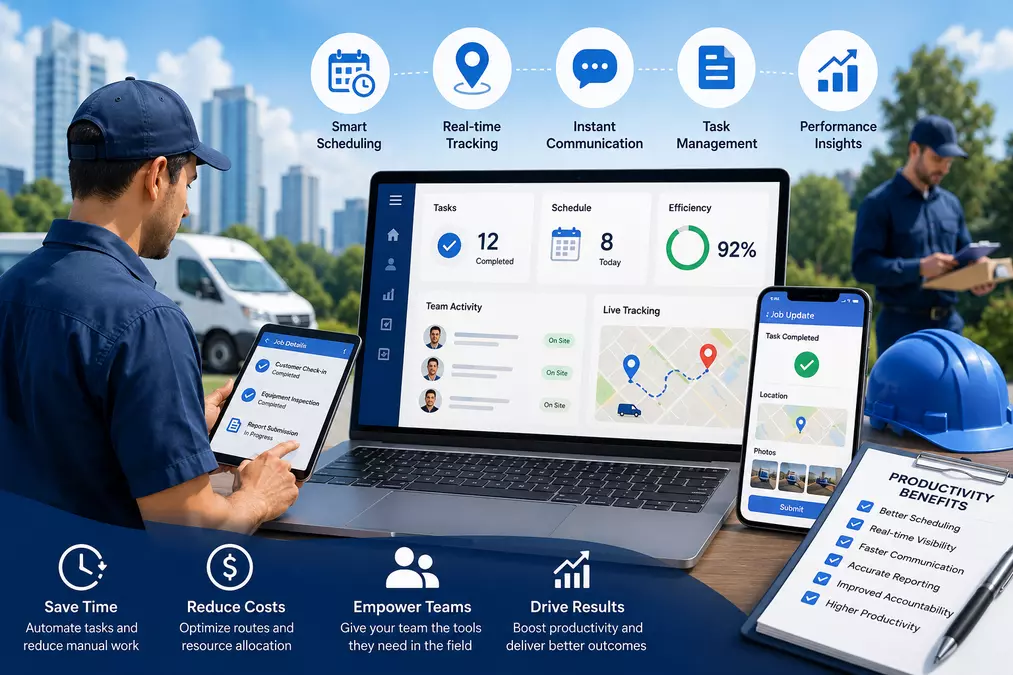
Field management software enhances the efficiency of field teams by ensuring that scheduling, job assignments, tracking, and reporting are all done from one system. The need for manual coordination is removed, response times are shortened, and field operations are fully visible to the manager. The teams are able to do fewer administration tasks and more work.
If your field team is missing appointments, duplicating work, or operating without clear visibility, the problem is rarely the people — it's the process. Field management software addresses this at the root by replacing disconnected spreadsheets, phone calls, and paper forms with a unified digital workflow. The result is faster job completion, fewer errors, and a measurable lift in team performance.
Before fixing the problem, it helps to understand where productivity actually leaks. Field teams often deal with:
Schedule changes communicated through telephone calls or SMS messages at the last moment
Technicians arriving on-site without proper knowledge or tools
Managers being unable to monitor job progress without continuous checking
Traditional paper records causing delays in billing and evaluations
No proper audit trail in case of any dispute or mistake
All of these problems tend to multiply over time. McKinsey & Company reports that employees devote roughly 20% of their time to looking for information or following up with co-workers on the same. This is reflected immediately in terms of lost time and money in the field.
Field productivity challenges begin at the scheduling level. With booking taking place in several different databases or even through manual means, mistakes will happen.
With a field service management solution, all the scheduling is integrated into one system. It allows managers to know who is available at any moment, and schedule tasks depending on where they are needed, what the skills of workers are, and how busy they already are. Automated notifications send updates to workers right away.
The practical outcome: fewer wasted trips, better use of working hours, and a team that always knows where to be and why.
Every technician is not necessarily suitable for every job. Effective allocation of tasks based on matching skills, certifications, and proximity guarantees success the very first time.
Field management solutions help managers create an extensive profile of their team members. When there’s an assignment, field management software identifies the right candidate who can manage it, and this cuts down the risk of callbacks, repeat calls, and customer complaints. Best-in-class service organisations have an ability to solve any problem on the first visit in 88% of cases, whereas the average firms have only 63% success rate.
The amount of time wasted when managers have to chase down status reports is one of the biggest drains on productivity. Wasting time calling technicians while they work, waiting for calls from them, or updating manual job boards.
Service management software through real-time GPS tracking gives the manager live monitoring of all the team members' locations and job performance. You'll know which employee is at the site, which one is traveling, and which one is available for the next assignment without making a single phone call.
This visibility also supports accountability. When team members know their progress is visible, on-time performance tends to improve naturally.
A technician arriving at a job site without the right information — customer history, asset details, safety requirements, or job notes — has to improvise. That leads to errors, delays, and a poor customer experience.
Field management software delivers job details directly to a mobile device before the technician arrives. They can review what's needed, capture photos, complete digital checklists, and update job status on the go. No paperwork, no lost forms, no end-of-day data entry pile-up.
Manual reporting is one of the most persistent hidden costs in field operations. When technicians fill out paper forms and office staff re-enter the data, errors multiply and billing gets delayed.
With automated reporting built into field management software, job completion data flows directly from the field into back-office systems. Managers get accurate, real-time dashboards. Invoices go out faster. Performance trends become visible without anyone building a spreadsheet from scratch.
|
Function |
Without Software |
With Field Management Software
|
|---|---|---|
|
Scheduling |
Manual, prone to conflicts |
Automated, real-time updates |
|
Task Allocation |
Based on availability only |
Matched by skill, location, and workload |
|
Team Tracking |
Phone check-ins |
Live GPS visibility |
|
Job Information |
Printed or verbal briefings |
Mobile-delivered, always current |
|
Reporting |
Manual data entry, delays |
Automated, real-time dashboards |
Productivity improvements from field management software are rarely abstract. In practice, they show up as:
More jobs completed per day — optimised routing and scheduling reduce travel time and idle periods
Higher first-time fix rates — better job information means technicians arrive prepared
Faster invoicing cycles — automated data capture shortens the gap between job completion and payment
Reduced supervisor workload — real-time dashboards replace manual status chasing
Lower compliance risk — digital checklists and audit trails support safety and regulatory requirements
While any business with a field workforce can benefit, the gains are most pronounced for organisations where:
Teams manage high daily job volumes across multiple locations
Service-level agreements (SLAs) require on-time performance tracking
Compliance documentation needs to be captured and stored securely
Managers are remote or overseeing distributed teams
Industries such as utilities, facilities management, healthcare services, construction, and property maintenance see consistent results because their field operations are complex and coordination-heavy by nature.
Not all platforms are built the same. When evaluating options, look for software that offers genuine integration between scheduling, tracking, and reporting — rather than treating them as separate modules bolted together.
Key features to prioritise:
Drag-and-drop scheduling with real-time availability
Mobile app access for field staff with offline capability
GPS tracking with job status updates
Customisable digital forms and checklists
Automated reporting and performance dashboards
Integration with existing CRM, ERP, or accounting systems
Scalability matters too. A platform that works for a team of 10 should be able to handle 100 without requiring a system overhaul.
Genic Teams offers a purpose-built solution that brings scheduling, job management, real-time tracking, and reporting together in one platform — designed specifically for businesses that rely on field teams to deliver results.
Q1: What is field management software used for?
Management of field software is the tool that helps schedule and assign jobs, manage the field staff in real time, and report automatically. Such a solution replaces all the manual processes with an electronic solution that will help managers better organize their work and provide technicians with all necessary information to complete their job without problems.
Q2: How does a field service management app improve first-time fix rates?
The field service management application increases the first-time fix percentage by providing all necessary information about the job to be performed – customer history, asset details, and parts required – on the technician’s mobile device prior to going to the site.
Q3: Can field management software reduce admin time for managers?
Yes. The use of automated reporting, real-time status of jobs, and digital capture of information substantially reduces the amount of time managers need to spend performing administrative functions manually. Instead of making phone calls at the end of each day and preparing paper-based reports, managers now use dashboards.
Q4: Is field management software suitable for small field teams?
Of course. Small businesses get the most out of field management software because they usually don’t have an administration team. Even five to ten people can benefit from scheduled work and mobile job management, which would prevent the mess in the organization.
Q5: How does real-time tracking improve field team accountability?
Real-time GPS tracking allows managers to monitor in real-time the locations of their technicians and where in the process of their work they are. As a result of the feeling that their actions are being monitored, employees become more attentive to on-time and timely job completion.
Q6: What should I look for when choosing service management software?
Consider using service management software with built-in capabilities of scheduling, mobile jobs management, GPS tracking and reporting. Features such as mobile offline functionality, customizable forms and integrations with current systems should be considered. Flexibility is vital; the software must be able to evolve with your company without having to replace it in future.



Comment