Alerts

-
3 minutes, 7 seconds
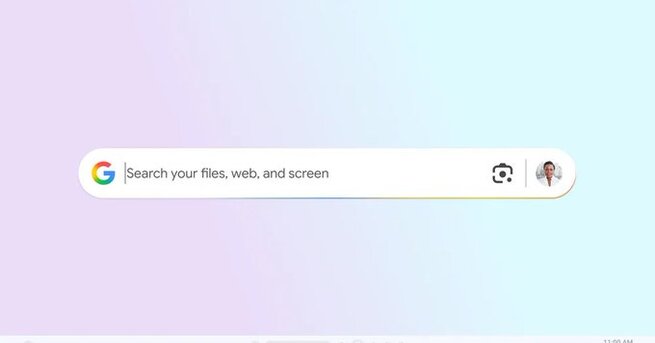
Finding files, documents, and information quickly just got easier with the new Google Windows desktop app. Designed to bring a Spotlight-like search experience to PC users, the app allows you to search across your computer, Google Drive, and the web with a simple keyboard shortcut. With built-in AI features and Google Lens, the tool is positioned as a productivity booster for anyone who wants faster, smarter access to their digital workspace.
The Google Windows desktop app integrates seamlessly with local files, cloud storage, and web searches. By pressing Alt + Space, users can instantly pull up the search bar and access results from multiple sources. Unlike the default Windows search, this app introduces an intuitive interface with options to switch between AI Mode, Images, Shopping, Videos, and more. The inclusion of dark and light themes ensures a customizable experience that matches user preferences.
One of the standout features of the Google Windows desktop app is its AI Mode. This function can solve math problems, translate text, or provide answers directly within the search bar. With Google Lens built into the app, users can highlight images or text from their screen and instantly perform visual searches. This integration makes it ideal for students, professionals, and everyday users who want more than just a traditional file search.
Much like Apple’s Spotlight on Mac, the Google Windows desktop app offers a centralized hub for managing searches across different platforms. It improves efficiency by allowing quick switching between apps, files, and web-based content. Windows has had similar capabilities with its search function and recent Copilot Plus PCs, but Google’s solution feels more streamlined and versatile.
The installation process mirrors Chrome’s simplicity, requiring a quick sign-in before use. Once installed, the search bar can be placed anywhere on the desktop and resized as needed. Users can also customize shortcuts, enable or disable AI Mode, and configure settings through their profile. This flexibility ensures that the Google Windows desktop app adapts to personal workflows, making it a valuable addition for anyone seeking speed and convenience.









Comment