
Alerts
-
2 minutes, 44 seconds
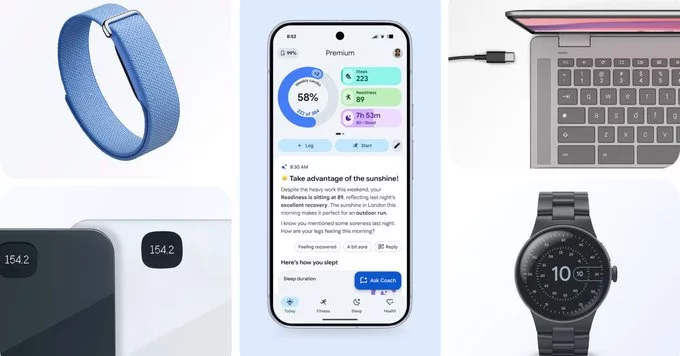
The Google Health CLI (Command Line Interface) is now available, giving you direct access to your health data and the power to build custom tools. This new tool lets developers, researchers, and health enthusiasts interact with Google's health APIs from the terminal, making it easier to analyze, export, and manage personal health information.
The Google Health CLI is a command-line tool that allows you to access and manage your health data stored in Google's ecosystem. Instead of using a web interface, you can now run simple commands to retrieve, update, or export your data. This is especially useful for automation, scripting, and building custom health applications.
Getting started is simple. Follow these steps to install and use the Google Health CLI:
Open your terminal and run the following command:
pip install google-health-cli
This installs the tool using Python's package manager.
After installation, authenticate with your Google account:
health auth
This will open a browser window where you can log in and grant permissions.
Once authenticated, you can start fetching data. For example, to get your daily step count:
health get steps --date 2023-10-01
This command returns the number of steps for that specific date.
The Google Health CLI opens up many possibilities for health data management. Here are some practical examples:
You can export your health data in CSV or JSON format for analysis in tools like Excel or Python. For example:
health export --format csv --output health_data.csv
Use the CLI with scripting languages like Python or Bash to create personalized dashboards. You can automate daily data retrieval and visualize trends over time.
Combine your health data with fitness apps, calorie trackers, or medical records. The CLI makes it easy to move data between platforms.
The Google Health CLI empowers users to take control of their health data. Instead of being locked into a single app or interface, you can now build custom solutions that fit your needs. For developers, it's a powerful tool to create new health applications. For individuals, it's a way to better understand and manage personal health metrics.
Whether you're a developer building the next health app or someone who wants to track their fitness more effectively, the Google Health CLI provides the flexibility and control you need.








Comment