Alerts

-
1 minute, 51 seconds
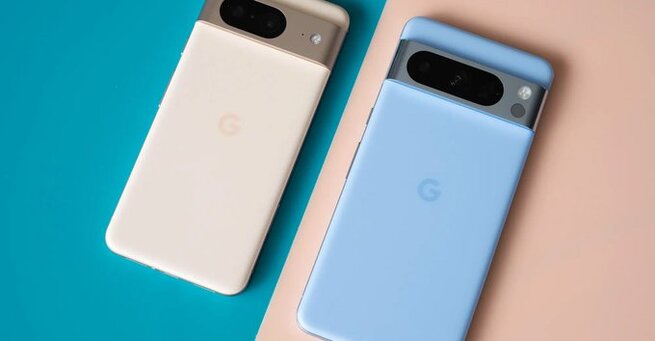
Google Call Recording launches on more Pixel phones, bringing a handy way to capture calls to older devices that previously lacked AI-powered features like Call Notes. With this rollout, Pixel 6, 7, and even early Pixel 8 models can now save conversations directly through the Phone app, making call management and reference much easier. Users can activate this feature after updating the Phone app and installing the latest Pixel Drop.
To use Google Call Recording, open the Phone app, navigate to Settings > Call Assist > Call Recording, and toggle the feature on. Once enabled, all incoming and outgoing calls can be recorded as audio files stored on your device. Unlike the AI-based Call Notes on Pixel 9 and 10 devices, this feature doesn’t transcribe calls automatically, but it allows users to save and manage recordings for personal or professional use.
Currently, Google Call Recording launches on more Pixel phones including the Pixel 6, 7, 8, 8 Pro, and newer models without Gemini Nano-powered Call Notes. This update ensures that users of slightly older Pixel devices aren’t left out of this practical functionality. The rollout requires both the latest Phone by Google app update and the November Pixel Drop for your device.








Comment