
Alerts
-
1 minute, 48 seconds
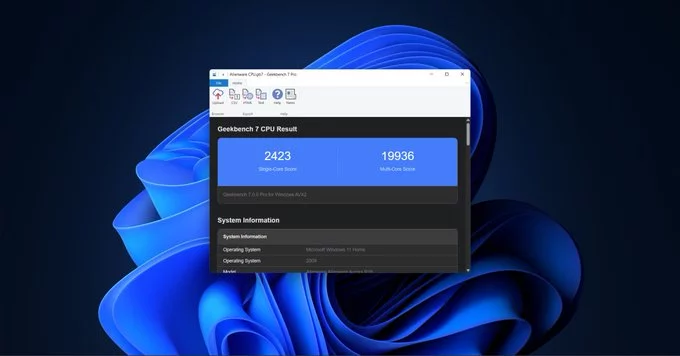
Geekbench 7 is the latest version of the popular cross-platform benchmarking tool. It pushes your computer or phone even harder to deliver more accurate performance scores. Whether you're testing a laptop, desktop, or smartphone, Geekbench 7 helps you see how well your device handles real-world tasks like gaming, video editing, and multitasking.
The new version introduces several upgrades that make benchmarking more reliable and detailed:
Geekbench 7 runs a series of simulated tasks that mimic everyday applications. It measures your device's single-core and multi-core performance, giving you a clear score. A higher score means faster performance. The tool also provides detailed breakdowns so you can see strengths and weaknesses.
Single-core scores show how fast one processor core handles tasks like web browsing or opening apps. Multi-core scores reflect performance during heavy multitasking or running demanding software. Geekbench 7 balances both to give you a complete picture.
If you're using an older version, here's why Geekbench 7 is worth the switch:
To get the most out of Geekbench 7, follow these simple steps:
Geekbench 7 is a powerful tool for anyone who wants to understand their device's performance. Whether you're a tech enthusiast, a gamer, or a professional, it provides clear, reliable data to help you make informed decisions. Download it today and see how your hardware stacks up.










Comment