Alerts

-
4 minutes, 5 seconds
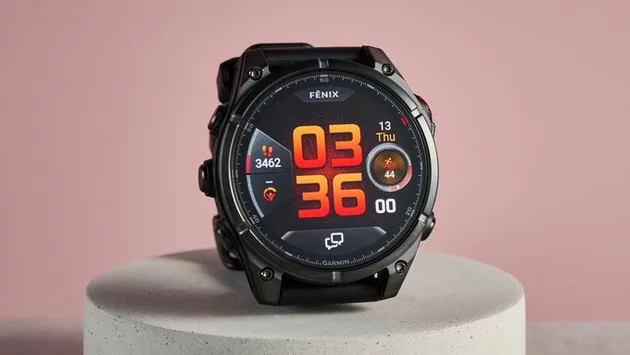
Garmin watches pack a surprising amount of features beyond fitness tracking. From monitoring your Body Battery and Readiness scores to managing workouts and watch faces, the devices can do it all. But navigating through menus can be tedious, especially when you’re deep in settings. Many users search for a faster way to return to the home screen or lock the touchscreen—without pressing the back button repeatedly. Fortunately, Garmin includes a hidden gesture that makes this effortless.
Instead of tapping through multiple menus, a simple gesture can bring you back to the home screen instantly. This gesture is available on most Garmin smartwatches, including the Venu 4, Fenix 8, and Vivoactive series. Once activated, you can either return home or lock your screen with a single flick or touch pattern, saving time and frustration. For frequent users, this small trick can dramatically improve your daily watch experience.
Activating this feature is straightforward. First, navigate to your watch Settings, then head to System > Gestures. From there, you can enable the “Return Home” or “Lock Screen” gestures. Garmin provides on-screen instructions for each watch model, making it easy to set up. Once enabled, you can test the gesture anywhere on your watch, instantly improving navigation.
For anyone managing workouts, checking notifications, or exploring advanced features, efficiency is key. Without this gesture, returning to the home screen can require multiple presses, disrupting your workflow. With the hidden gesture, a single motion replaces a series of steps. It also helps prevent accidental taps on the touchscreen, especially during workouts or outdoor activities. This small addition feels surprisingly powerful once you incorporate it into your daily routine.
Garmin watches have other lesser-known tricks beyond gestures. For instance, Gear Tracking in Garmin Connect allows you to monitor shoe mileage and equipment wear. Dive computer features on certain models cater to scuba divers, while GPS accuracy testing ensures your outdoor activities are tracked reliably. Exploring these hidden options can transform your Garmin watch from a simple fitness tracker into a comprehensive life companion.
To get the most from your Garmin watch, take time to explore settings, gestures, and watch face options. Combining the hidden gesture with other features like Body Battery monitoring and activity insights can streamline your daily routine. Whether you’re a casual user or a dedicated athlete, mastering these subtle tricks enhances both convenience and productivity.
A single, hidden gesture on your Garmin watch can save you time, reduce frustration, and simplify navigation. By enabling this feature, you unlock a smoother experience that keeps your focus on workouts, notifications, or just enjoying your watch. Small tips like this prove that even the most advanced devices have simple tricks waiting to be discovered.










Comment