
Alerts
-
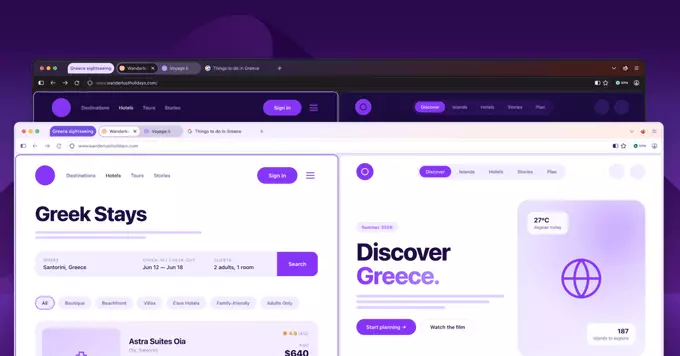
Mozilla is preparing a dramatic visual overhaul for Firefox, known internally as Project Nova. This redesign introduces rounded UI elements, bubble-like tabs, and a refreshed, fire-inspired color palette. The update aims to make privacy settings and AI controls easier to find and use. Mozilla plans to begin rolling out Project Nova later this year.
The new design features rounded elements throughout the browser, including tabs and toolbars. Mozilla is also updating icons to ensure visual consistency across both light and dark themes. This aesthetic shift is designed to modernize the browser's look and feel.
One of the standout features of Project Nova is the redesigned Settings section. Users will find a dedicated switch to turn off all present and future AI features. Mozilla emphasizes that AI models are not downloaded unless you choose to use them, even without the block enabled. This makes Firefox more transparent than competitors like Google Chrome, which faced criticism over a 4GB AI download.
Alongside the redesign announcement, Mozilla released Firefox 151 with support for the Web Serial API. This allows websites to control devices or deliver firmware without requiring native applications. The update also includes a redesigned Firefox Home page, new wallpapers, and the ability to merge multiple PDFs in the browser's PDF viewer.
Project Nova brings back Firefox's compact mode, which condenses browser controls like forward and backward buttons. The redesign also improves access to tab groups, split view, and vertical tabs. These features aim to boost productivity for power users.
Mozilla is adding new wallpapers and themes that apply to the entire browser window, with light and dark mode options similar to Chrome's color themes. The company is also exploring controls for the shape of tabs and other UI elements, offering more personalization than ever before.










Comment