Alerts

-
3 minutes, 12 seconds
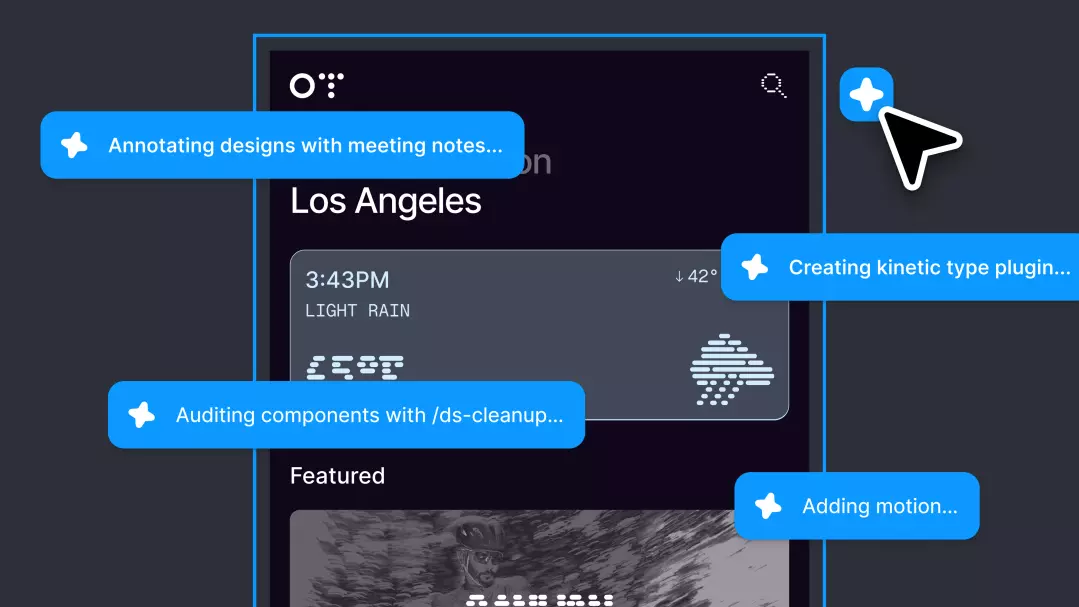
Figma's AI agent for product design has officially moved out of beta and is now generally available. The tool, which first launched in beta back in May, is now accessible to all users as a fully released product.
Alongside the general availability milestone, Figma is rolling out a set of new features designed to make the agent more useful in day-to-day design work.
Together, these additions aim to make the agent feel less like a standalone tool and more like a connected part of the design workflow, where shared context and team activity are visible at a glance.
Figma’s AI agent for product design did not arrive fully formed. It initially launched in beta in May, giving designers an early, limited look at what an agent built specifically for product design work could do. Beta periods are traditionally a testing ground, and this one was no exception: the tool was made available to users while still under development, ahead of the broader release that would follow.
That May beta served as the starting point for the agent’s public life. It was the first time the design agent was put in front of users, and it set the stage for the features that would come later. Now, the agent has moved past that initial phase and is generally available, marking the end of the beta period that began back in May.
Alongside general availability, Figma has introduced a way to steer the design agent toward your own standards. You can now add guidelines for the Figma agent to reference and follow, giving the tool a defined set of expectations to work against rather than leaving it to interpret your intent on its own.
This matters because guidelines let you encode the conventions your team already relies on. Instead of repeating the same instructions in every prompt, you can state them once and have the agent consult them as it works.
The feature arrives as part of the broader set of additions that accompany the move out of beta, which began in May. Combined with the ability to see what your colleagues’ agents are doing, it points to a more collaborative, more controllable way of working with the agent across a design team.
Alongside the guidelines feature, Figma is introducing a way to follow what your colleagues’ agents are doing. This gives teams visibility into the work happening across their shared design environment, rather than leaving each person's agent activity isolated.
The capability arrives as part of the agent's move out of beta and into general availability. Since the design agent first launched in beta in May, Figma has been building out the features that make the tool more practical for teams to adopt day to day.
Being able to see colleagues' agent activity matters for collaboration. When multiple people are running agents on the same product design work, knowing what those agents are up to helps everyone stay aligned and avoid duplicated or conflicting efforts.
Together with the ability to add guidelines for the Figma agent to reference, this visibility layer rounds out the general availability release, giving teams both a way to steer their agents and a way to keep an eye on what those agents are producing across the team.










Comment