Alerts

-
2 minutes, 31 seconds
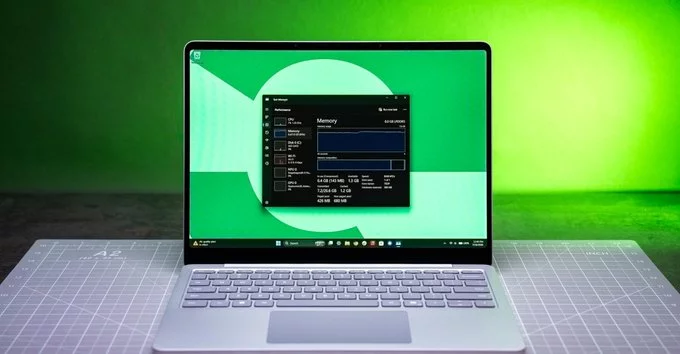
Even Microsoft couldn’t make Windows 11 work well on 8GB of RAM. Despite being the recommended minimum, 8GB of memory often feels sluggish, especially when running multiple apps or modern software. In this article, we explain why Windows 11 struggles on 8GB RAM, what you can do to improve performance, and whether upgrading to 16GB is worth it.
Windows 11 is a feature-rich operating system, but it’s also resource-hungry. Even with Microsoft’s optimizations, 8GB of RAM is no longer enough for smooth multitasking. Here’s why:
Microsoft has introduced several features to reduce memory usage, such as:
Windows 11 compresses unused data in RAM to free up space. While helpful, this can slow down your system when memory is full.
The new Task Manager gives you better tools to see which apps use the most memory. You can close heavy apps manually.
Windows 11 downloads updates in the background more efficiently, but they still take up RAM.
Despite these efforts, 8GB RAM remains a bottleneck for many users.
For light tasks like email, web browsing, or word processing, 8GB can work—but not smoothly. For anything more, like video calls, photo editing, or gaming, you’ll notice slowdowns.
Our tip: If you already have 8GB, try closing unnecessary startup programs and limiting browser tabs. Consider upgrading to 16GB for a noticeable speed boost.
If you’re stuck with 8GB, here are practical steps to make Windows 11 run better:
Yes, if you can. 16GB RAM is the new sweet spot for Windows 11. It allows smooth multitasking, faster app loading, and better gaming. For most users, 16GB is a worthwhile investment.
Only needed if you’re a power user—video editing, 3D rendering, or running virtual machines. For everyday use, 32GB is overkill.
Even Microsoft couldn’t make Windows 11 work well on 8GB of RAM. The operating system is simply too demanding for that amount of memory in 2025. If you want a frustration-free experience, upgrade to 16GB or follow our optimization tips above.










Comment