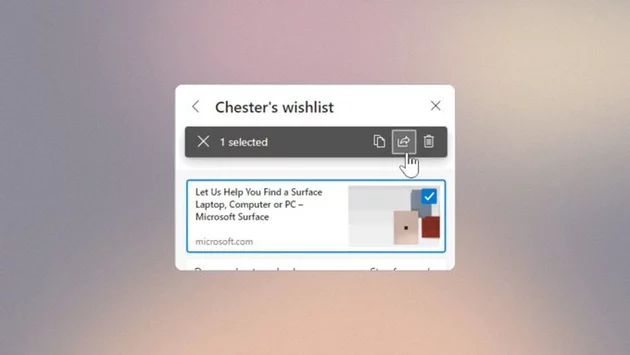
Microsoft is officially phasing out the Collections feature in Edge, leaving users scrambling to save their organized content. Collections, introduced in 2020, allowed users to save web pages, add notes, and sync content across devices, making it popular for online shopping, research, and project planning. With this shift, Microsoft is pushing users toward other methods for saving and organizing their web content, though the exact timeline for retirement remains unclear.
The removal of Collections comes as Microsoft refocuses Edge around simpler, streamlined browsing experiences. While Collections offered robust tools for organizing links, notes, and images, Microsoft now encourages using the browser’s Favorites and web-based alternatives. Users have reported warning messages in the Collections panel, signaling that adding new items is no longer possible. The company has yet to confirm whether mobile versions of Edge will also lose the feature, leaving some uncertainty for users who rely on cross-device syncing.
For those worried about losing their saved content, Microsoft offers two main options. The first, “Move to Favorites,” transfers web pages into a new folder named CollectionsExport, but images and notes are not included. The second, “Export Your Data,” creates a CSV file called collections_export.csv in the Documents folder, preserving textual data but not media. Both options are designed to help users retain at least some of their collections before the feature disappears completely.
Microsoft’s move aligns with a larger trend of simplifying browser tools while pushing web-based alternatives. The company has already introduced a web version of Collections, allowing users to manage links and notes online instead of relying on the native browser feature. While this approach may suit casual users, power users who depended on in-browser organization may find the transition frustrating.
Users looking for replacement solutions have several options. Edge Favorites remain the simplest in-browser method, while third-party tools like Notion, Evernote, and OneNote offer advanced note-taking and content organization. Many of these platforms also support syncing across devices, helping fill the gap left by Collections. Choosing the right alternative will depend on whether users prioritize ease of access, multimedia storage, or collaboration features.
Microsoft continues to evolve Edge with new productivity-focused features. Removing Collections may initially frustrate users, but it also signals a shift toward lightweight, web-centric tools. As the company integrates more cloud-based solutions, Edge users can expect features that emphasize accessibility and cross-device compatibility, even if it means saying goodbye to older tools.
For now, Microsoft advises exporting data promptly to avoid losing content permanently. Keeping a backup, whether through Favorites or CSV export, ensures that your work and research remain accessible. Users should also explore alternative organizational tools to adapt to the evolving Edge ecosystem. The retirement of Collections is a reminder that even popular browser features may eventually give way to newer, cloud-based solutions.






Comment