Alerts

-
2 minutes, 29 seconds
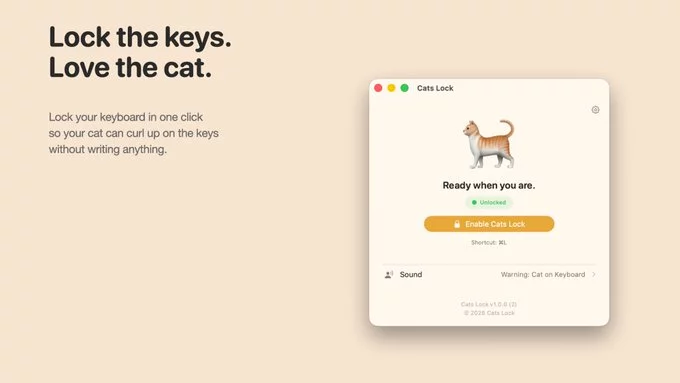
If you own a cat and a Mac, you’ve probably seen your furry friend jump onto your keyboard. One moment you’re working, and the next, your cat sends a random email or opens 50 windows. That’s where Cats Lock for Mac comes in. This simple tool stops your cat from causing keyboard havoc by locking your Mac’s keys instantly.
Cats Lock for Mac is a free app that disables your keyboard with one click. It works on macOS and saves you from cat-related typing disasters. Instead of closing tabs or apologizing for weird messages, you just activate the lock. Your cat can walk, sit, or sleep on the keyboard—nothing happens.
The app runs in your menu bar. You click an icon to lock the keyboard. To unlock, you click again or use a shortcut. It’s that easy. No complex settings. No need to unplug anything.
Cats love warm, moving keyboards. Your Mac’s keys feel nice under their paws. But a cat walking on your keyboard can:
Using a Mac keyboard lock for cats prevents all of this. It’s like a pause button for your keyboard.
Imagine you’re editing a contract. Your cat jumps up and types “ffffff” in the middle. With Cats Lock, you can leave your Mac unattended for a minute—even with your cat nearby—without worry.
Getting started takes less than a minute:
That’s it. You can also set a keyboard shortcut for faster access.
If you want other options, try these:
Cats Lock is the easiest, most cat-focused solution.
Your cat doesn’t mean to cause trouble. But those furry paws can ruin your work fast. Cats Lock for Mac gives you peace of mind. It’s free, simple, and effective. Download it today and stop your cat from causing keyboard chaos.










Comment