
Alerts
-
3 minutes, 56 seconds
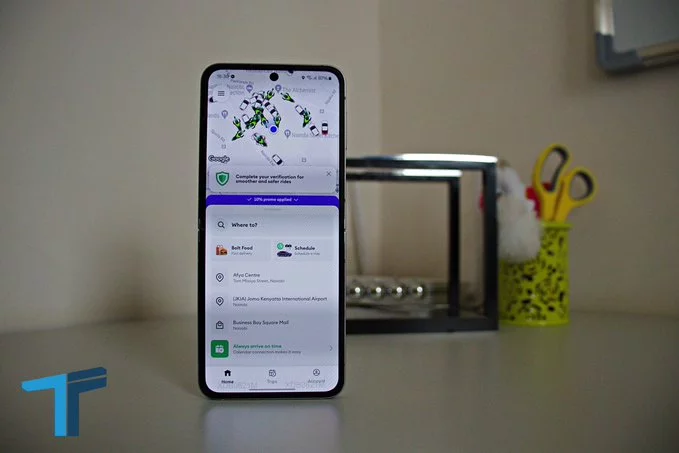
Bolt’s safety reporting tools sit inside the app’s support section, where users can open ride history, select a trip and file a concern. This simple process helps you quickly report issues, get emergency guidance, or reach live support when needed. Whether you’re a regular rider or a driver, knowing how to use these tools keeps your rides safe and stress-free.
You don’t need to search through menus or guess where to go. The safety reporting tools are built right into the Support section of the Bolt app. Here’s how to access them:
Once you submit your report, Bolt’s system routes your case to the right team. If your issue is urgent, the app will also show you emergency guidance and connect you with live support. This ensures you get fast help, whether it’s a safety issue, a billing problem, or a driver complaint.
Bolt takes safety seriously. When you file a concern, the app may display:
Having safety reporting tools inside the support section makes it easy to act quickly. You don’t have to remember phone numbers or search online. Everything you need is in one place. For example, if you feel unsafe during a ride, you can open ride history, select that trip, and file a concern immediately. The app will then guide you to the right help.
Bolt’s safety reporting tools are designed to be simple and effective. By keeping them inside the app’s support section, Bolt makes it easy for you to take action. Next time you need to report a concern, just open ride history, select the trip, and file your report. You’ll get the support you need, fast.









Comment