
Alerts
-
3 minutes, 4 seconds
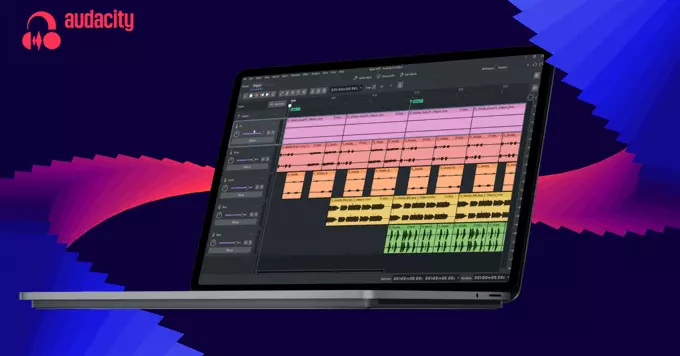
Audacity 4 is not just another incremental update; it is a full revamp of the popular open-source audio editor. Long praised for its powerful capabilities, the software has often been critiqued for its dated interface and workflow. This release directly addresses those issues, bringing the tool into the modern age with a comprehensive redesign. The most significant shift is the move to non-destructive editing, a fundamental change that allows you to experiment freely without permanently altering your original audio files. This new approach is complemented by vastly improved clip management, making it easier to organize and manipulate multiple audio segments on a track. Combined with its completely new look, Audacity 4 feels like a professional-grade application from the ground up, shedding its legacy constraints to offer a smoother and more intuitive experience for both newcomers and seasoned editors.
Audacity 4 now features non-destructive editing, a significant workflow improvement. This new capability allows you to apply effects and edits without permanently altering the original audio. Instead of baking changes directly into your waveform, the software preserves your source material, giving you the freedom to experiment with different processing chains while knowing you can always revert to the untouched recording.
This approach is a major departure from the traditional destructive workflow, where an edit or effect was immediately committed to the file. With non-destructive editing, you can now stack multiple effects, tweak their parameters, and even remove them entirely at any point in your project. This makes it much easier to audition different creative ideas or correct mistakes without having to rely on a long history of undos or keeping multiple backup copies of your files.
Audacity 4’s revamped clip management puts organization front and center, making it far easier to handle multiple audio segments within a single project. The new system streamlines how you select, move, and arrange clips, reducing the friction of complex edits.
Whether you are assembling a podcast or layering sound effects, these tools help you keep every piece in its place. For a deeper dive into the technical details, you can consult the official documentation linked below, but the immediate benefit is clear: less time wrestling with your tracks and more time focusing on the sound itself.
Audacity 4 presents a fully refreshed interface that prioritizes clarity and workflow efficiency. The updated design reduces visual clutter, making it easier to focus on your audio tracks. This modernized aesthetic is complemented by a range of practical enhancements that fit contemporary editing practices.
These changes are not merely cosmetic; they are part of a broader effort to make professional-grade editing more intuitive. By integrating modern design principles with functional improvements, Audacity 4 aims to provide a smoother, more responsive experience for both new users and seasoned editors. The result is a tool that feels both familiar and significantly more advanced, ready for the demands of modern audio production.










Comment