
Alerts
-
4 minutes, 0 seconds
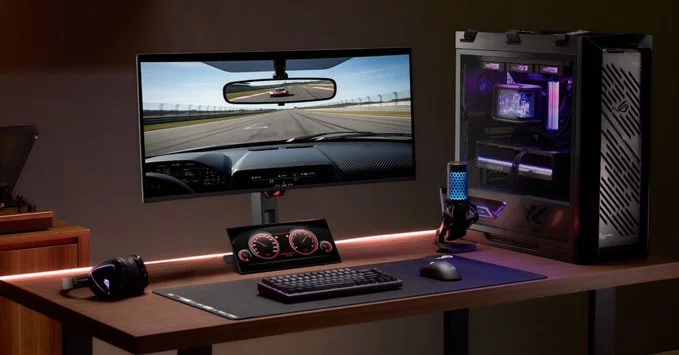
Asus is making a bold move to compete with Elgato by launching its own secondary touchscreen display. This new accessory is designed to help streamers, content creators, and multitaskers boost their productivity without switching windows. By adding a compact, customizable screen, Asus aims to simplify workflows and enhance live streaming setups.
The Asus secondary touchscreen display is a small, portable monitor that sits next to your main screen. It acts as a control panel for apps, shortcuts, and live stream tools. Unlike traditional monitors, this touchscreen lets you tap, swipe, and drag to manage tasks quickly. It’s similar to Elgato’s popular Stream Deck but offers a larger, more flexible interface.
Elgato’s Stream Deck is a favorite among streamers because of its dedicated keys and simple setup. However, the Asus touchscreen display offers a larger canvas, which means you can see more controls at once. For example, you can create a full dashboard for your stream alerts, chat overlays, and scene transitions. While Elgato relies on physical buttons, Asus gives you a fully customizable touch interface that can change based on the app you’re using.
If you prefer tactile buttons and a proven ecosystem, Elgato remains a strong choice. But if you want a more flexible, visual control panel with room to grow, the Asus display is worth considering. Streamers who manage complex setups—like multiple cameras, audio sources, and chat bots—will benefit from the extra screen real estate.
Asus is entering a competitive space, but its touchscreen display brings fresh innovation. It challenges Elgato’s dominance by offering a more versatile tool for creators. Whether you’re a seasoned streamer or a beginner looking to upgrade your setup, this accessory could be a game-changer. Keep an eye on availability and pricing—it might just become your new favorite desk companion.










Comment