Alerts

-
3 minutes, 45 seconds
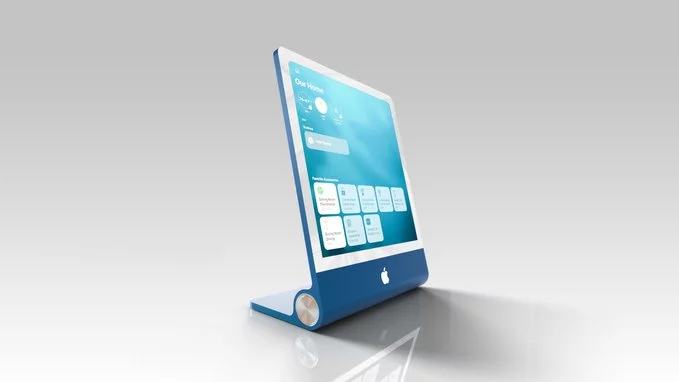
Apple’s Home Hub will introduce a dedicated widget gallery, giving users a central place to browse and select from a growing library of interactive modules. Instead of a static home screen, the gallery empowers you to add widgets that surface real-time information at a glance—such as calendar events, weather conditions, or smart home device status.
The gallery is designed for rapid customization: you can preview a widget’s appearance before adding it, then drag it into your preferred position on the home screen. Once placed, widgets can be resized or reconfigured directly from the home view, letting you prioritize the data that matters most. For deeper control, each widget offers its own settings—accessible via a long press—to adjust data sources, color themes, or update frequency.
This gallery will also support third-party developer submissions, ensuring the library expands beyond Apple’s own offerings. The result is a home screen that feels less like a fixed grid and more like a living dashboard, tailored entirely to your routines.
The widget gallery is designed to recognize and support iPhone widgets directly. This means that any widget you have already set up on your iOS device—from weather forecasts to calendar reminders—can be used on the Home Hub without requiring a separate or redesigned version. Instead of rebuilding your favorite tools, the Home Hub pulls from the existing iOS widget library, ensuring a familiar look and consistent functionality across your devices.
This integration is particularly useful for maintaining a unified setup. Because the gallery reads the same widget data and configuration from your iPhone, any adjustments you make to a widget on your phone—such as changing a city or a specific focus mode—will be reflected on the Home Hub. The system treats iPhone widgets as native components, so you are not limited to a subset of features; the full interactive capability of each widget remains available. As a result, the transition from a handheld screen to a stationary home display feels seamless, with no need to learn new gestures or navigation patterns.
Your Home Hub’s home screen is designed to be your personal command center. You can tailor it to fit your daily routines by adding and arranging widgets that put essential controls and information just a glance away. This flexibility means you’re not stuck with a default layout; instead, you can prioritize what matters most to you, whether that’s checking the weather before you leave or adjusting your thermostat without unlocking your phone.
This level of customization ensures that the most frequently used functions are always within reach, reducing the steps needed to manage your smart home and making daily interactions more efficient and intuitive.
The Home Hub extends the Apple ecosystem’s signature continuity by placing your smart home controls directly on your iPhone’s Home Screen. Through dedicated widgets, you can monitor and manage your Hub without opening a separate app, mirroring the glanceable interaction model Apple uses across its own services. This integration means a status update on your Hub—such as a light left on or a door unlocked—appears in the same visual language as your Calendar or Weather widgets, reducing friction between devices.
Because the widgets pull live data from the Home Hub, changes you make on your iPhone instantly sync back to the Hub’s local interface. This two-way flow respects Apple’s privacy framework: no cloud relay is required for local network commands. The result is a cohesive experience where your iPhone acts as a remote surface for the Hub, not a separate control point. For households already invested in Apple’s ecosystem, this eliminates the need to learn a new app or remember a different set of gestures—your existing muscle memory for widgets applies directly to home management.










Comment