
Alerts
-
3 minutes, 15 seconds
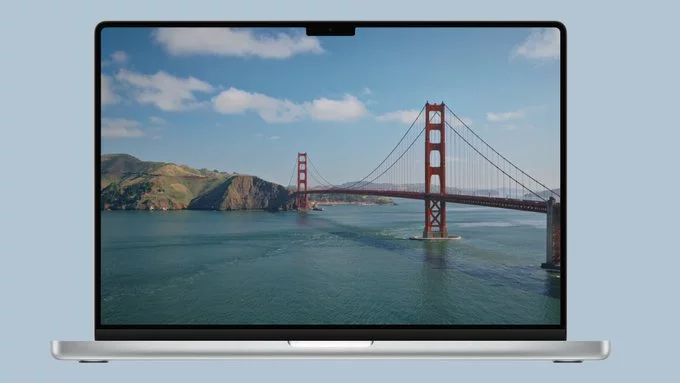
Apple has added a variety of new wallpapers in the macOS Golden Gate update, including dynamic and static options. This refresh gives users more ways to personalize their desktop, whether they prefer a shifting scene that changes with the time of day or a fixed, striking image. The dynamic wallpapers are designed to subtly transition throughout the day, offering a living backdrop that adapts to your local time. For those who like a consistent look, the new static wallpapers provide a range of vibrant and minimalist styles. You can explore the full collection to find a look that suits your workspace, from vivid abstract compositions to clean, focused designs. All of these are accessible directly through the system’s settings, making it simple to switch between the new additions and your existing favorites.
The update introduces a striking set of dynamic wallpapers that shift their appearance throughout the day. These aren’t static images; they are designed to reflect the changing light, from the soft hues of dawn to the deep tones of night. Each wallpaper is meticulously crafted to transition smoothly, offering a fresh perspective on your desktop with every hour.
For those who want a more controlled aesthetic, the system allows you to override the automatic time-based changes. You can choose to lock a wallpaper to a specific appearance, such as always displaying the daytime version, or opt for a dark mode variant that aligns with your system-wide settings. This flexibility ensures the dynamic feature enhances your workflow without becoming a distraction.
Key characteristics of the new dynamic wallpapers include:
Beyond the animated options, macOS Golden Gate also introduces a fresh collection of static wallpapers, catering to users who prefer a fixed, traditional desktop appearance. These new images offer a diverse range of styles, ensuring there is something to match different tastes and setups. You will find everything from vibrant abstract compositions to serene landscape photography, each rendered in high resolution to take full advantage of modern displays.
The static wallpapers are designed to provide a clean and focused aesthetic, free from the motion of their dynamic counterparts. This makes them an excellent choice for productivity, as they minimize visual distractions while still showcasing the visual quality of the operating system. Whether you prefer a minimalist look or something more detailed and colorful, this new selection aims to refresh your desktop with a simple, elegant touch. The variety ensures that you can easily find a wallpaper that feels both new and personal, without needing to look elsewhere for inspiration.
Once you’ve updated to macOS Golden Gate, locating the new wallpapers takes only a few clicks. Apple has placed them in the familiar Wallpaper pane, so you won’t need to hunt through hidden folders or third-party apps.
To get started:
Applying one is just as straightforward: click any thumbnail, and it instantly becomes your desktop background. If you prefer a different look per display (on multi-monitor setups), right-click the thumbnail and choose which screen to assign it to. The preview area updates in real time, so you can judge how the colors and gradients look before committing.
All the new wallpapers are also available from the Apple menu’s “Change Wallpaper…” shortcut for quick access. No downloads or extra steps are required—they’re built directly into the system, ready to use the moment you arrive.










Comment