Alerts

-
2 minutes, 15 seconds
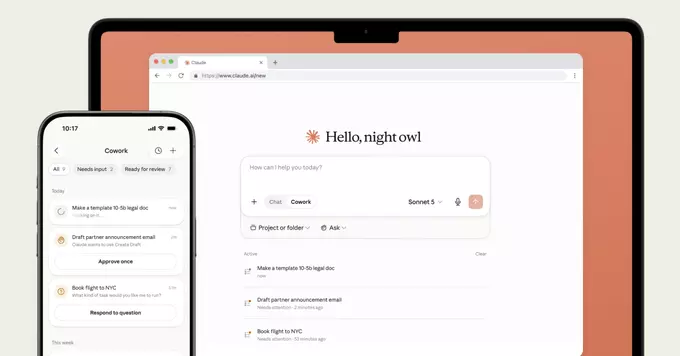
Anthropic has officially launched Claude Cowork on both mobile and web platforms. This new feature allows users to collaborate directly with Claude, Anthropic's advanced AI assistant, in real time. Instead of just asking questions, you can now work side by side with Claude on tasks like writing, coding, research, and planning. The launch marks a major step toward making AI a practical, everyday partner for professionals and casual users alike.
Claude Cowork is designed to make your workflow smoother. You can share documents, brainstorm ideas, or get instant feedback—all within a single interface. For example, a marketer can draft a campaign while Claude suggests improvements, or a developer can debug code with step-by-step help. This real-time collaboration reduces the need to switch between apps or wait for responses.
Using Claude Cowork is simple. First, open Claude on your mobile app or web browser. Look for the new "Cowork" mode option. Once activated, you can start a session by typing or speaking your task. Claude will respond with suggestions, edits, or questions to refine the work. You can accept, reject, or modify its input at any time. It's like having a smart colleague who never gets tired.
Anthropic's Claude Cowork is part of a growing trend: AI moving from simple Q&A to active collaboration. By launching on both mobile and web, Anthropic ensures users can access this capability anywhere. This could change how teams work, especially for remote or hybrid setups. As AI becomes more interactive, expect features like voice commands, file sharing, and project management integration to expand.
In short, Claude Cowork is not just an update—it's a new way to think about AI. It turns a chatbot into a coworker. If you haven't tried it yet, now is the time to explore how Claude can help you get more done, faster.










Comment