
Alerts
-
3 minutes, 40 seconds
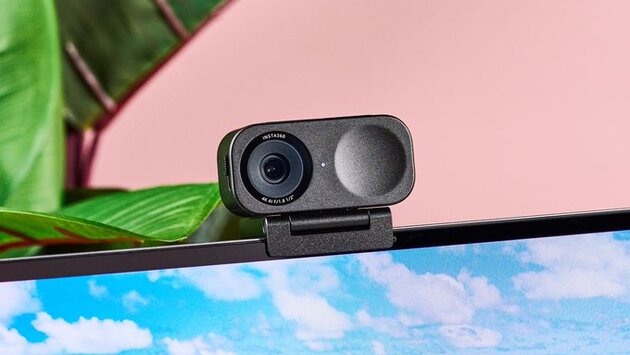
Why Webcam Features for Working from Home Matter
As remote work becomes a permanent reality for many professionals, choosing the right webcam can significantly improve your daily video meetings. Whether you're pitching to clients or collaborating with teammates, crisp visuals and reliable performance help you look and sound your best. In this guide, we’ll break down the nine essential webcam features for working from home, ensuring you pick a model that supports high-quality, professional video calls. From resolution to privacy controls, every feature plays a role in boosting your virtual presence.
High Resolution and Refresh Rate Make a Difference
The first thing to look for is image clarity. A webcam with at least 1080p resolution ensures you appear clear and detailed during calls. If your budget allows, 4K resolution offers even sharper video quality—especially useful for presentations or streaming. Equally important is the refresh rate. A 60Hz refresh rate delivers smoother video compared to 30Hz, making your movements appear natural and reducing lag or jitter. These two specs work together to provide a seamless, high-quality video experience.
Autofocus, Low-Light Performance, and Microphone Quality
When working from home, lighting can be unpredictable. That’s why webcams with excellent low-light sensitivity help maintain image clarity even in dim rooms. Autofocus is another critical feature—it adjusts the lens as you move, keeping your face sharp whether you're leaning in or sitting back. Don’t forget the microphone. Look for dual noise-canceling mics that isolate your voice from background noise, making you sound clearer during calls. These webcam features for working from home ensure you're both seen and heard professionally.
AI Features, Mounting Flexibility, and Privacy Controls
Newer webcams now come with AI-powered framing and gesture controls, automatically centering you in the frame or letting you control settings with a wave. Mounting flexibility is also important—whether you’re using a monitor, laptop, or tripod, your webcam should fit your setup. Lastly, privacy matters. A webcam with a built-in shutter or quick-off function adds an extra layer of security between meetings. These finishing touches not only enhance your experience but also show attention to detail during professional calls.
Choose the Right Webcam for Your Needs
There’s no one-size-fits-all solution, but investing in the right webcam features for working from home can improve your productivity, confidence, and professionalism on every call. Whether you're shopping for better resolution, smarter autofocus, or strong privacy controls, prioritize the features that support your workflow. With these nine essentials in mind, your next webcam will be a powerful upgrade for your home office setup.










Comment