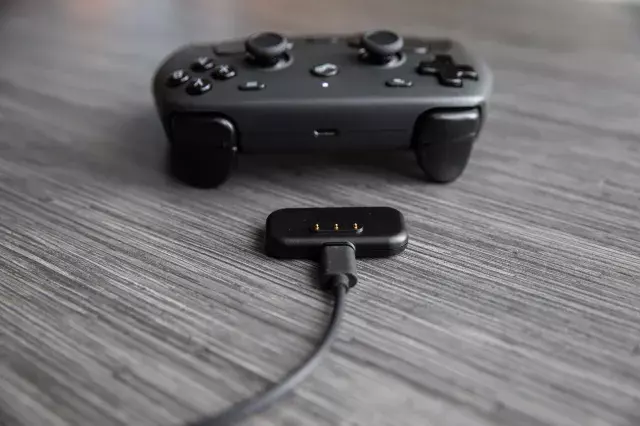
Valve has officially launched the Steam Controller as a standalone product, without requiring the Steam Machine. This move allows PC gamers to enjoy a high-precision gamepad designed for the entire Steam library, offering a unique trackpad-based experience. The Steam Controller is now available for purchase separately, giving users more flexibility in their gaming setup.
Why Valve Released the Steam Controller Alone
Originally, the Steam Controller was part of Valve's Steam Machine initiative—a line of gaming PCs running SteamOS. However, the Steam Machines failed to gain traction due to high costs and limited game compatibility. By releasing the controller independently, Valve aims to reach a broader audience of PC gamers who want a versatile input device for both casual and competitive play.
Key Features of the Steam Controller
- Dual Trackpads: High-fidelity trackpads replace traditional joysticks, offering precise control for mouse-driven games.
- Haptic Feedback: Advanced haptics simulate textures and movements, enhancing immersion.
- Customizable Controls: Users can remap buttons, adjust sensitivity, and create profiles per game via Steam's Big Picture mode.
- Gyroscope: Built-in motion sensors allow for tilt-based aiming in supported games.
- Wireless & Wired: Works via Bluetooth or USB cable with Windows, Mac, Linux, and SteamOS.
How It Compares to Other Gamepads
The Steam Controller stands out from Xbox and PlayStation controllers due to its trackpads and deep customization. While it may take time to adapt, it excels in genres like strategy, simulation, and first-person shooters where mouse-like precision matters. For example, in games like Civilization VI or Portal 2, the trackpads provide smoother aiming and menu navigation.
Who Should Buy the Steam Controller?
This controller is ideal for PC gamers who:
- Play a mix of genres, especially strategy or indie games.
- Want a single gamepad for both desktop and living room gaming.
- Enjoy tweaking controls to suit their personal playstyle.
Tips for Getting Started
To maximize your Steam Controller experience:
- Download the latest firmware via Steam settings.
- Explore community-created control profiles in the Steam Workshop.
- Start with a game that has native Steam Controller support, like Half-Life 2 or Stardew Valley.
Valve's decision to launch the Steam Controller without the Steam Machine is a smart move. It removes the barrier of needing a dedicated console and puts the power of customization directly into gamers' hands. Whether you're a hardcore PC enthusiast or a casual player, this controller offers a fresh way to interact with your favorite games.













Comment