Slow Internet? Your Router Might Be the Problem
Paying for high-speed internet but still facing constant buffering can be frustrating. Most people blame their ISP, but the real culprit is often your router placement or outdated settings. Simple tweaks can transform weak Wi-Fi signals into fast, reliable coverage throughout your home. These fixes don’t require a new $300 router or expensive upgrades—just smart adjustments that maximize the gear you already have.
1. Choose the Right Router for Your Home
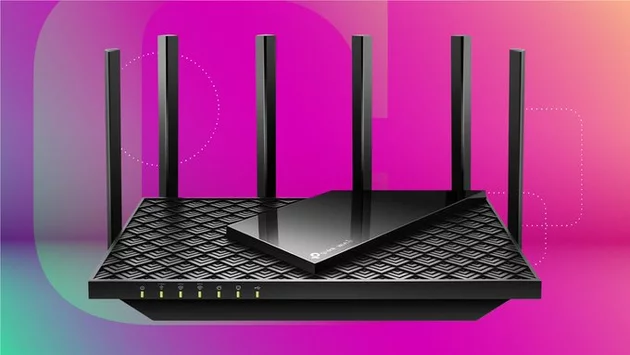
Not all routers are created equal, and your wireless speed depends heavily on your router’s capabilities. For apartments or smaller homes under 1,500 square feet, a single access point usually suffices. If your device is several years old, upgrading to a newer Wi-Fi 6E model can dramatically improve speed and coverage. Wi-Fi 6E offers better performance than older models without breaking the bank. Even if Wi-Fi 7 is out, Wi-Fi 6E provides a noticeable improvement for most households.
2. Reposition Your Router for Maximum Coverage
Wi-Fi signals struggle with obstacles like walls, furniture, and even kitchen appliances. Avoid placing your router on the floor or near electronics that can interfere with signals. Instead, elevate your router on a shelf or countertop in a central location. Small adjustments like moving it away from metal objects or dense furniture can expand coverage and eliminate dead zones in problem areas.
3. Minimize Wireless Interference
Other wireless devices—cordless phones, baby monitors, and microwaves—can disrupt your Wi-Fi. Keep your router at a distance from such electronics, and consider changing the channel or frequency band on your router’s settings. Many modern routers support dual or tri-band frequencies, allowing you to separate high-demand devices from lighter usage. Properly managing interference ensures smoother streaming, gaming, and video calls.
4. Update Firmware and Settings Regularly
Routers aren’t “set and forget” devices. Firmware updates fix security issues and can improve speed and stability. Check your router’s settings to enable features like Quality of Service (QoS), which prioritizes bandwidth for devices that need it most. These updates are often free and can make a noticeable difference in everyday performance.
Quick Wins Without Spending a Dime
Optimizing your router placement and settings is often more effective than paying for higher-tier internet plans. A few strategic tweaks can drastically improve your connection, making streaming, gaming, and video calls much smoother. Even small changes can transform weak Wi-Fi zones into fully functional spaces without additional hardware.
Wrap-Up: Maximize Your Current Wi-Fi Setup
You don’t need a flashy new router to enjoy reliable home internet. Correct placement, minimal interference, updated firmware, and choosing the right router for your home can resolve most Wi-Fi issues. These simple fixes let you get the speed you’re paying for, making slow connections a thing of the past. Stop tolerating weak signals—take these steps today for a faster, more consistent internet experience.






Comment