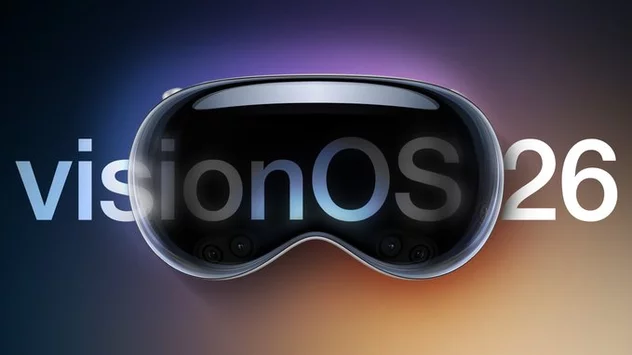
Apple has released visionOS 26.3.1, a minor but important software update for Vision Pro users. If you’ve experienced screen flickering while watching sports in Multiview inside the Apple TV app, this update directly addresses that issue. The release arrives two weeks after visionOS 26.3 and focuses on performance stability rather than new features. Here’s what’s fixed, who should update, and how to install visionOS 26.3.1 on your Vision Pro today.
visionOS 26.3.1 is the latest update for the Apple Vision Pro, running on visionOS 26. While it’s categorized as a minor release, it plays an important role in improving the overall viewing experience, especially for sports fans who rely on Multiview.
Minor updates like this typically focus on bug fixes, security patches, and performance enhancements. Apple did not introduce new features in this release. Instead, the company prioritized refining the experience users already rely on daily.
That approach reflects Apple’s broader software strategy in 2026: rapid follow-up updates that address real-world issues soon after they’re identified.
The key fix in visionOS 26.3.1 targets a flicker issue inside the Apple TV app. Specifically, some users noticed flickering when watching live sports using the Multiview feature.
Multiview allows Vision Pro users to stream multiple games simultaneously within a single immersive environment. For sports enthusiasts, it’s one of the most compelling features of the headset. However, screen flickering disrupted the seamless experience, particularly during fast-motion gameplay.
Although not every user reported the issue, those affected described brief but noticeable visual instability. For a premium device like Vision Pro, even small visual glitches can feel amplified.
visionOS 26.3.1 resolves that problem, restoring smoother playback and a more stable viewing environment.
At first glance, a flicker fix may seem minor. But for users who rely on Vision Pro for immersive sports streaming, stability is critical.
Multiview is designed to showcase spatial computing at its best. Watching multiple live feeds in floating windows is part of what makes Vision Pro stand out from traditional displays. Any visual disruption undermines that experience.
By releasing a focused patch quickly, Apple reinforces confidence in its spatial platform. Frequent, targeted updates demonstrate ongoing support and responsiveness to user feedback.
This also signals that Apple continues refining visionOS aggressively, ensuring the headset evolves through software improvements, not just hardware revisions.
Installing visionOS 26.3.1 is straightforward. All compatible Vision Pro headsets can access the update directly from the Settings app.
Follow these steps:
Open Settings on your Vision Pro.
Tap General.
Select Software Update.
Download and install visionOS 26.3.1.
To complete installation, you’ll need to remove the headset. A software progress indicator appears on the exterior EyeSight display, allowing you to monitor the update process without wearing the device.
As always, ensure your headset has sufficient battery life or is connected to power before starting the update.
visionOS 26.3.1 comes just two weeks after visionOS 26.3 rolled out. That quick turnaround suggests Apple identified the Multiview flicker issue soon after release.
Short update cycles have become more common across Apple platforms. Rather than waiting for large, bundled releases, the company increasingly pushes small patches when necessary.
This method improves reliability and reduces the window during which users experience bugs. For early adopters of spatial computing, that responsiveness is especially important.
Instead of launching flashy additions, Apple is clearly focused on refinement. Stability, performance consistency, and seamless streaming experiences appear to be top priorities.
For Vision Pro users, this is good news. The device is positioned as both a productivity tool and a premium entertainment hub. Eliminating playback glitches strengthens its role as a next-generation media platform.
Sports streaming in particular has become a key use case. Multiview transforms passive watching into an interactive, immersive experience. Ensuring it works flawlessly is essential for long-term user satisfaction.
Yes. Even if you haven’t personally experienced the flicker issue, installing the latest version ensures your device runs optimally.
Software updates often include behind-the-scenes improvements that aren’t fully detailed in release notes. Performance tuning, system stability enhancements, and minor optimizations frequently accompany targeted bug fixes.
Keeping your Vision Pro up to date also helps maintain security and compatibility with future app updates.
visionOS continues to evolve rapidly. With each incremental update, Apple moves closer to delivering a polished spatial computing ecosystem.
The release of visionOS 26.3.1 may not introduce new features, but it reflects something equally important: refinement. Addressing user-reported issues quickly strengthens trust in both the platform and the hardware.
As spatial computing adoption grows, software stability will be just as crucial as hardware innovation. Updates like this show Apple understands that.
For Vision Pro users watching multiple live games at once, visionOS 26.3.1 ensures the experience is immersive, smooth, and distraction-free — exactly as intended.
visionOS 26.3.1 Fixes Apple TV Multiview Flic... 0 0 0 4 2
2 photos





Array