Alerts

-
7 minutes, 40 seconds
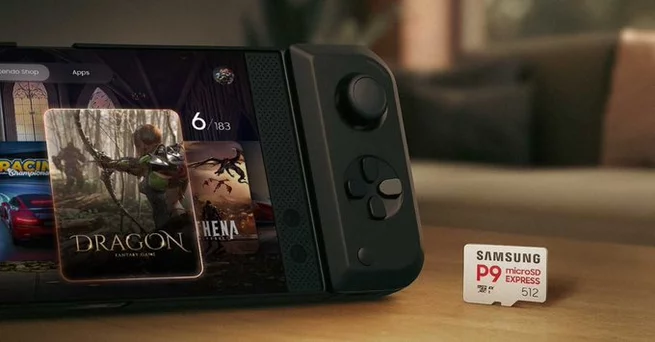
Digital downloads on the Nintendo Switch 2 can fill up fast, so a microSD Express card is one of the simplest ways to expand storage without constantly deleting games. Samsung’s P9 microSD Express is currently discounted, with the 256GB model starting at $40 and the 512GB model priced at $79.99. If you’re wondering which size you need, whether it’s compatible, or how much space today’s big games actually use, here’s the quick, news-style breakdown.
The Switch 2’s 256GB internal storage sounds fine on paper—especially if you mostly play first-party Nintendo titles. The problem starts when you mix in modern third-party releases, updates, and DLC. One or two bigger downloads can take a serious bite out of your available space, and suddenly you’re juggling installs like it’s 2017 again.
That’s where microSD Express comes in. It’s designed for faster performance than older microSD formats, and it’s the storage standard the Switch 2 leans on for expansion. For anyone building a digital library (or sharing a console with siblings), having extra storage isn’t a luxury—it’s the difference between “tap to play” and “wait, what do I delete?”
Right now, Samsung’s P9 microSD Express cards are selling for less than usual, which is exactly the kind of deal that makes a storage upgrade feel painless. The 512GB version is $79.99, which is $40 off, and the 256GB version is $39.99, down $15. In plain terms, that’s a meaningful discount on a part you’ll use constantly.
It also matters because microSD Express cards haven’t always been the cheapest category. So when a recognizable brand drops prices, it puts pressure on the rest of the market—and it gives Switch 2 owners a more affordable “buy once, stop worrying” option.
If you’ve been gaming on modern platforms, you already know the pattern: game sizes rarely stay small. Switch 2 downloads can be especially sneaky because you’re not just storing the base game. Patches, language packs, and extra content add up over time, and the “free space” number keeps shrinking even if you don’t feel like you’ve installed that much.
Examples make the point quickly. Cyberpunk 2077 is about 59GB, while Final Fantasy VII Remake Intergrade lands around 93GB as a Switch 2 download. Put those two on the console together and you’ve burned through more than half the internal storage—before you even factor in updates or additional games. If you like rotating between big titles, the math gets uncomfortable fast.
The 256GB microSD Express option is the budget-friendly fix: it’s great if you mainly play a handful of titles at a time and don’t mind managing your library occasionally. It’s also the easiest recommendation for someone who just wants to stop seeing storage warnings every week. At around $40, it’s a clean entry point that noticeably reduces the hassle.
The 512GB microSD Express card is the “set it and forget it” choice. If you buy lots of digital games, share the console, or keep big downloads installed long-term, 512GB tends to feel right faster than you’d expect. The extra headroom is also helpful if you’re the type who wants several large games ready to launch without planning ahead.
A simple way to decide: if you regularly keep more than 6–10 medium-to-large games installed, the 512GB is usually the less annoying option over time. If you mostly stick to a smaller rotation, 256GB will still feel like a major upgrade.
Storage upgrades can be confusing on some devices, but for Switch owners, this is about as straightforward as it gets. You’re essentially buying breathing room. Instead of uninstalling games you’ll “totally replay soon,” you keep your library ready, your console tidy, and your downloads less stressful—especially if your internet isn’t lightning fast.
Samsung’s P9 also stands out because it’s positioned as relatively affordable compared to other microSD Express options. That’s important for families, students, and anyone trying to keep a Switch 2 setup reasonable without sacrificing convenience. When storage is easy, you play more—and you spend less time doing digital housekeeping.
Even if you’re deal-hunting, there are a couple of quick checks that can save you regret later. First, make sure you’re buying microSD Express specifically (not just “microSD” in general), since naming can be confusing in listings. Second, buy from reputable retailers so you’re less likely to run into counterfeit storage cards—a problem that still pops up during big sales.
Finally, consider how you actually use the Switch 2. If you love grabbing new releases, bouncing between games, and keeping favorites installed, storage becomes part of the experience—not an accessory. That’s why discounts like this get attention: it’s one of the rare upgrades that immediately makes the console feel better to own.










Comment