
-
6 minutes, 16 seconds
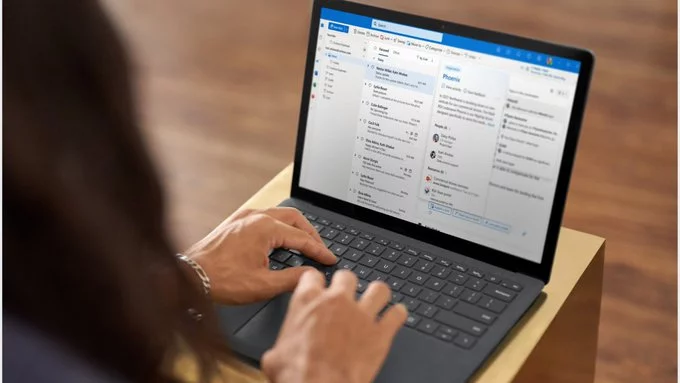
Classic Outlook support has officially been extended to 2029, giving businesses and long-time users more time before switching to the new Outlook experience. Many organizations rely heavily on the traditional Outlook desktop app for workflows, add-ins, and enterprise integrations. By extending support, Microsoft allows IT teams additional time to test compatibility, migrate tools, and prepare employees for the modern Outlook interface that will gradually replace the classic version.
The move highlights a major transition in the email and productivity ecosystem. While the new Outlook is expected to become the default across Microsoft 365 in the coming years, classic Outlook will remain available for organizations that still depend on it. For many companies, the extension offers breathing room to ensure the transition happens smoothly rather than under tight deadlines.
Large organizations often depend on custom integrations, enterprise plugins, and internal systems that were built around classic Outlook. These tools are not always immediately compatible with newer platforms, which can create serious productivity issues during upgrades. Recognizing these challenges, Microsoft extended support to provide organizations with a longer runway for testing and migration.
The updated timeline ensures enterprise customers are not forced into rapid changes that could disrupt business operations. IT departments can gradually update add-ins, evaluate new security policies, and train employees on the updated interface. This strategy also helps reduce risk during the transition to a more cloud-focused email environment.
Extending support until 2029 reflects how deeply embedded the classic client remains in corporate infrastructure. Even as modern apps gain traction, legacy systems continue to play a critical role in many workplaces.
Despite the extension, the shift toward the new Outlook interface continues. Microsoft plans to make the modern Outlook experience the default for many Microsoft 365 users starting in 2026. The newer version is designed to unify desktop, web, and mobile experiences while offering stronger integration with cloud services.
The modern Outlook app focuses heavily on performance, streamlined navigation, and tighter collaboration features. Built on a modern framework, it also simplifies updates and improves compatibility with future productivity tools. These improvements align with broader efforts to modernize workplace software and move away from legacy desktop applications.
For everyday users, the transition may feel gradual. Classic Outlook will remain accessible for several years, allowing individuals and organizations to adapt at their own pace.
Under the updated roadmap, enterprise organizations will not be required to fully transition away from classic Outlook until March 2027. This extension gives companies extra time to prepare for the inevitable shift toward the new platform.
Migration planning often includes reviewing security policies, testing automation tools, and ensuring compatibility with business-critical add-ins. Many companies also need to update internal documentation and train employees on the new user interface. These steps take time, especially for large organizations managing thousands of users.
The revised timeline gives administrators the opportunity to approach migration strategically rather than rushing the process. This approach reduces downtime, prevents workflow disruptions, and allows IT teams to implement gradual rollouts.
Another key factor behind the extended support timeline is the lifecycle of perpetual Office releases. Products such as Office 2024 still include the classic Outlook application and are designed with multi-year support cycles.
Office 2024, for example, carries a five-year support period that extends to 2029. Because organizations using this version rely on the traditional Outlook experience, maintaining compatibility becomes essential. Aligning classic Outlook support with the lifecycle of these products ensures users receive consistent security updates and stability throughout the support window.
This alignment also avoids forcing businesses into sudden upgrades that could require costly infrastructure changes.
The decision to extend classic Outlook support highlights the balancing act between innovation and stability. On one hand, Microsoft continues to push a modern, cloud-first Outlook experience designed for collaboration and cross-platform productivity. On the other, businesses still depend on familiar tools that power daily communication and workflow management.
For organizations, the extension creates an opportunity to modernize systems carefully rather than reactively. Teams can evaluate the new Outlook experience, update internal tools, and prepare employees for the eventual transition.
Classic Outlook may eventually fade out, but its influence on workplace productivity remains significant. With support now confirmed through 2029, companies have the time needed to navigate the transition thoughtfully and ensure their email systems remain reliable during the shift to a new generation of productivity tools.

2.6K articles

1.4K articles

34 articles

28 articles














Comment