Adobe Acrobat AI Turns PDFs into Podcasts and Presentations
Struggling to keep up with long PDFs, reports, or meeting notes? Adobe Acrobat’s new AI tools can now summarize your documents as podcasts and presentations, letting you absorb key information faster than ever. These features, available in Acrobat Studio, aim to streamline document editing and content consumption for creators, professionals, and students alike.
Generate Podcasts: Listen to Your Documents
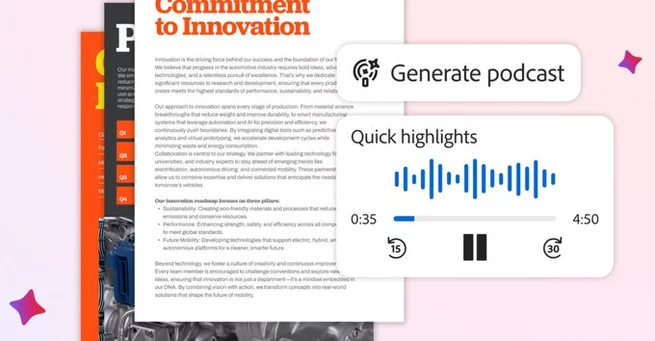
Adobe’s Generate Podcast feature transforms any PDF into an audio summary. Whether it’s research reports, class notes, or meeting transcripts, this tool reads the content aloud in a podcast-style format. For now, the feature uses a Microsoft GPT model for transcription and Google’s voice model for narration, though Adobe plans to expand its AI capabilities in the future.
The idea is simple: instead of scrolling through pages of text, users can listen while commuting, exercising, or multitasking. It’s an especially handy solution for anyone pressed for time but needing to grasp key points quickly.
Visual Summaries with Generate Presentation
If you prefer visuals, Acrobat Studio now also offers Generate Presentation. This tool allows users to turn PDF content into polished pitch decks or slideshows automatically. By connecting with Adobe Express design templates, the AI selects layouts, images, and text formatting based on your documents’ content. Users can then tweak designs or add personal touches, saving hours on manual slide creation.
Whether you’re preparing a work proposal or class presentation, this feature makes document content actionable and visually appealing with minimal effort.
Edit PDFs Using Chat Prompts
Acrobat’s AI assistant goes beyond summaries. Users can now edit PDFs using natural language prompts. This includes adding signatures, removing pages, replacing text, or adjusting images—essentially controlling your documents by typing instructions instead of navigating menus.
The chat-based editing mirrors updates Adobe added to Express last year but is now integrated directly into Acrobat Studio. This feature can significantly speed up workflows, especially for teams handling frequent document revisions.
Why These AI Tools Matter
With workloads increasingly digital, the ability to listen to or visually summarize documents changes how professionals and students interact with information. Adobe’s AI-driven approach ensures you can process documents efficiently, whether by listening to a podcast summary or reviewing a slide deck.
These tools also signal a shift in PDF management, from static reading to interactive, AI-assisted experiences. By leveraging AI models from Microsoft and Google, Adobe ensures accuracy while experimenting with the best voice and content generation solutions.
Getting Started with Acrobat Studio AI
Acrobat Studio users can access these features immediately. Simply open a PDF and choose Generate Podcast, Generate Presentation, or use the AI assistant to start editing via chat. The intuitive interface guides users through options, making it accessible even for those less familiar with AI-powered tools.
Adobe’s update reflects a growing trend of integrating AI into productivity tools, offering smarter, faster ways to work with digital documents. For creators, students, and professionals, these features promise to save time while enhancing content engagement.





Array