iPhone Notes Can Record and Transcribe Calls
Ever wished your iPhone could take full notes for you during conversations? With iOS 18, Apple’s Notes app quietly added a powerful feature that lets you not only record audio but also transcribe it automatically. This means whether you’re interviewing someone over Zoom, Google Meet, or in person, your iPhone can capture and convert spoken words into text. While not perfect, this hidden tool makes documenting conversations faster and less distracting than frantically typing notes.
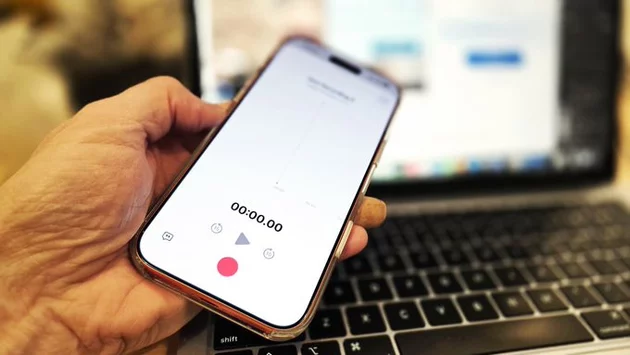
I often place my iPhone near my laptop during video interviews, letting it quietly record while I focus on the conversation. Later, Notes can summarize the session, condensing a 29-minute recording into a concise three-paragraph overview. For journalists or professionals who need full transcripts, this feature still allows access to the entire recording, so you don’t miss a single quote.
How to Use the Notes Recording Feature
Accessing the recording tool is simpler than you might think. Inside the Notes app, tap the paperclip “Attachment” icon to start recording. The app captures the audio in the background while you continue your conversation uninterrupted. Once the recording ends, Notes automatically transcribes the conversation, turning hours of discussion into searchable text.
The ability to tap any word in the transcript and jump to that exact moment in the audio is a game-changer. This functionality makes reviewing important sections of a conversation fast and precise, especially if you’re preparing articles, reports, or meeting notes.
Limitations You Should Know
While the iPhone’s Notes feature is impressive, it has a few shortcomings. Speaker identification is not supported, meaning the app won’t label who’s talking in multi-person conversations. This can be challenging during interviews with multiple participants. Luckily, you can always replay the audio and manually identify speakers, but it’s extra work that some professionals prefer to avoid.
Another limitation is transcription accuracy. Although Notes does a solid job with clear speech, errors can creep in with heavy accents, background noise, or overlapping speech. Tapping back to the audio is often necessary to ensure quotes are exact.
How iPhone Compares to Android Voice Recorder
When it comes to mobile transcription tools, Android still has an edge. Most modern Android devices, including Google Pixel phones, Samsung Galaxy S25, and foldables like the Galaxy Z Fold 7, come with a free, built-in Voice Recorder app. Unlike iPhone Notes, Android’s Voice Recorder is optimized for long conversations, often providing more accurate transcriptions and easier speaker labeling.
For professional journalists, podcasters, or students, having reliable transcription tools can save hours of editing. Android’s recorder also works seamlessly with Google’s ecosystem, allowing easy sharing and editing of transcripts across devices. That said, Apple’s Notes app is a solid backup option and a convenient tool for casual users or impromptu interviews.
When to Use iPhone Notes for Recording
Despite its limitations, Notes’ recording and transcription capabilities are handy for several scenarios. In-person interviews, quick voice memos, or brainstorming sessions are ideal situations where Notes shines. It keeps your hands free, reduces distractions, and leverages Apple Intelligence to summarize conversations quickly.
For extended or multi-person recordings, pairing Notes with other transcription tools or using an Android device may be the better choice. However, for everyday use, this hidden iPhone feature is a surprisingly robust tool that many users overlook.
Apple’s iPhone Notes app is more than just a note-taking tool. Its hidden recording and transcription feature streamlines capturing conversations and reviewing them efficiently. While Android’s Voice Recorder still offers superior transcription accuracy and speaker identification, iPhone users now have a convenient, built-in solution that works surprisingly well for most situations. With iOS 18 and later, documenting conversations has never been easier, letting you focus on the discussion rather than worrying about missing key details.




Comment